
Key takeaways
- 01You control the words. AI handles visuals, voice and assembly.
- 02The script is split into scenes, and each scene becomes a few seconds of video.
- 03Scripts written to be spoken give the best voiceover.
How script to video works
First, the tool reads your script and splits it into scenes. A scene is usually one or two sentences of narration.
Next, it creates a visual for each scene. That can be an AI image, an animated clip or a stock video.
Last, it reads the script aloud with an AI voice, times the captions to the voice, adds music and joins the scenes into one video.
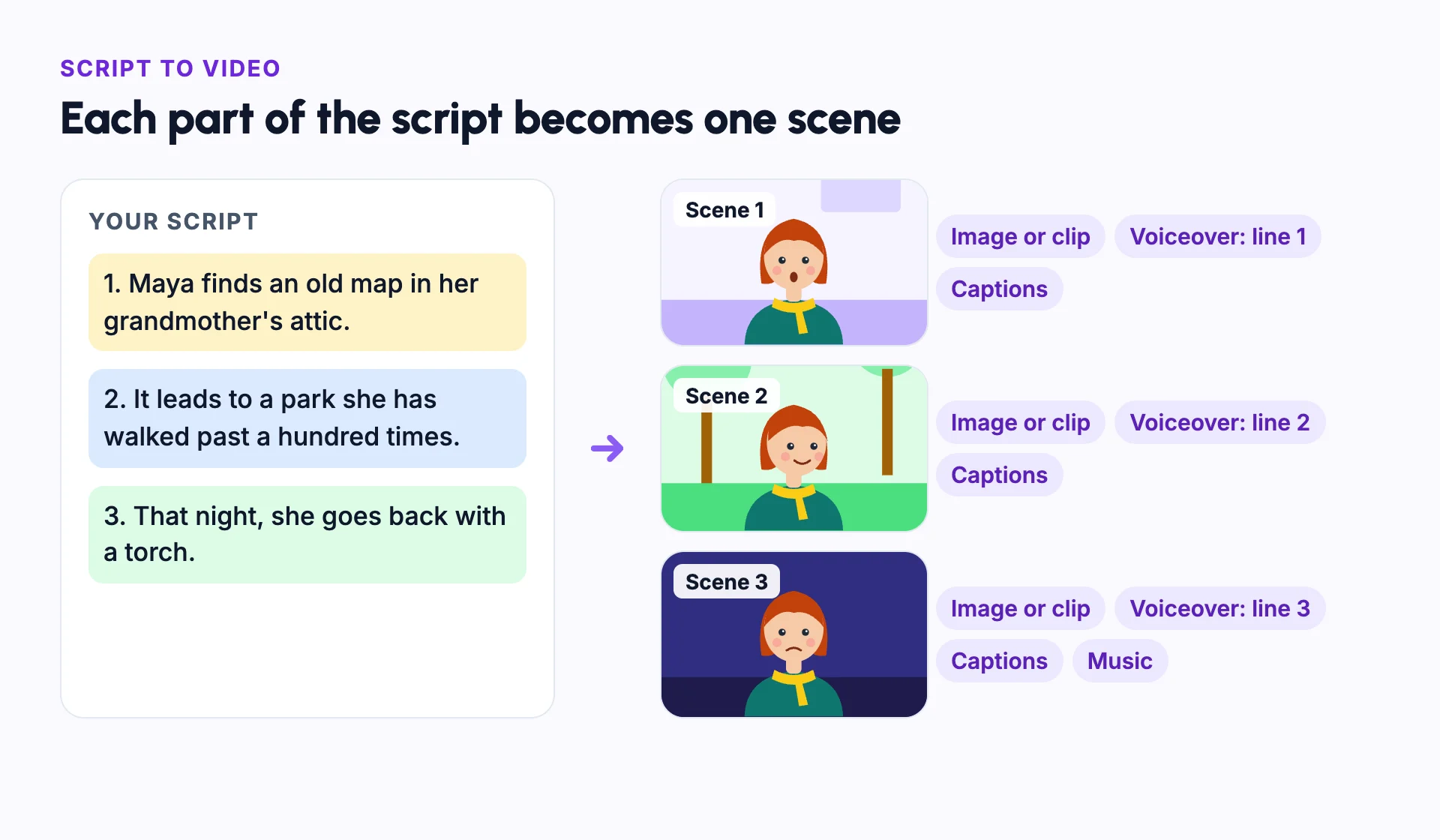
Example: a three-scene script
Here is a short script for a story video: "Maya finds an old map in her grandmother's attic. It leads to a park she has walked past a hundred times. That night, she goes back with a torch."
The tool splits it into three scenes, one per sentence. Each scene gets a visual of Maya, its line of voiceover and captions timed to that line. Music runs under all three.
Because Maya is named in every line, she can be the same character in each scene.
Tips for a better script
Write the way people speak. Short sentences and clear punctuation give a more natural voiceover.
Name your characters in the script. The tool can then keep the same character in every scene where they appear.
Open with a strong first line, called a hook. In vertical video feeds, the first seconds decide whether people keep watching.
How long your script should be
A useful rule: about 150 spoken words make one minute of narration. Slower voices and pauses need fewer words. Time a read-aloud of your script to check.
- A 15-second Short: about 35 to 40 words.
- A 60-second Short: about 150 words.
- A five-minute video: about 750 words.
Script to video vs text to video
| Script to video | Text to video | |
|---|---|---|
| Input | A full script, split into scenes | A short prompt that describes one shot |
| Output | A finished video with voiceover, captions and music | One short clip, usually without narration |
| You control | Every word the viewer hears | The look of one shot |
| Best for | Explainers, stories and faceless videos | Single shots and background clips |
Common mistakes
Writing for reading, not for speaking
Read the script aloud. Long sentences, brackets and lists trip up AI voices.
Packing several ideas into one sentence
Keep one idea per sentence, so each scene has one clear visual.
Starting slowly
Open with the most interesting line. Introductions lose viewers on short-form platforms.
Leaving characters unnamed
Name each character, so the same one appears in every scene where they speak or act.
Rendering without a review
Watch every scene first. Fixing one scene is faster than redoing the whole video.
In Frameloop
How it works in Frameloop
- Paste a script, or let Frameloop write one from an idea. You can add a web page URL as context.
- Choose AI images, AI animation or stock footage for the visuals.
- Pick the voice, music, caption style, aspect ratio and pacing, then check the credit estimate.
- Attach saved characters so the same faces appear in every scene.
- Review every scene in the editor, then render an MP4. Script length and video length depend on your plan.
Questions people ask
What is the difference between script to video and text to video?
Script to video turns a full script into a narrated video, scene by scene. Text to video usually means one short clip made from a prompt.
How many words do I need for a one-minute video?
About 150 words of narration at a normal pace. A slower voice or more pauses means fewer words.
Can AI write the script for me?
Yes. That is called idea to video: you give a one-line idea, and the AI writes the script before it builds the video.
Does script to video work in other languages?
Many tools voice and caption scripts in several languages. Write the script in the language you want the voice to speak.