
Key takeaways
- 01No one appears on camera. Voice and visuals do the work.
- 02Common styles: AI images with motion, animated scenes, stock footage and text on screen.
- 03Captions matter, because many people watch with the sound off.
Common faceless video styles
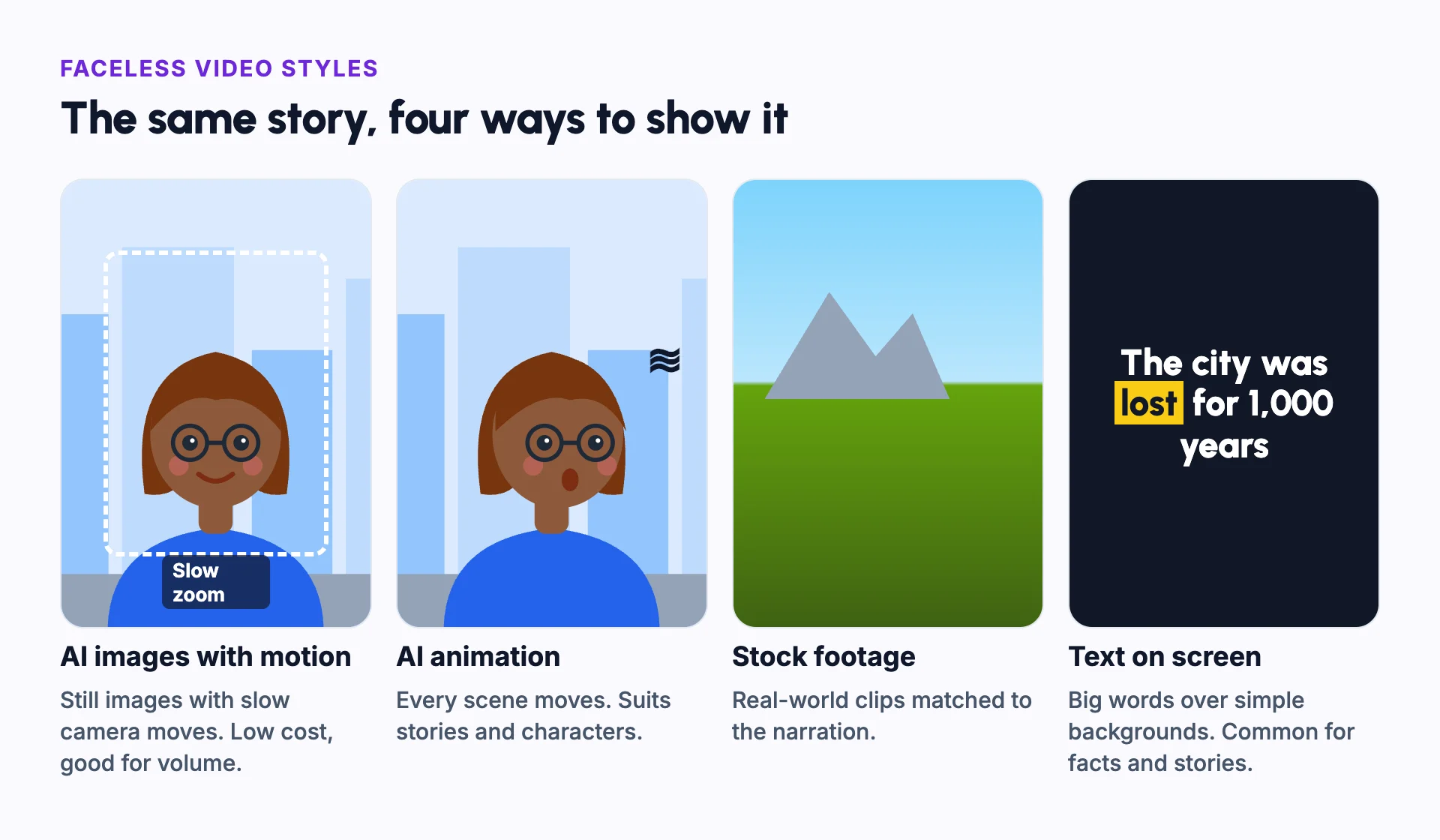
Faceless videos, the main format of a faceless channel, differ mainly in what the viewer sees.
- AI images with motion effects: cheap to make and good for volume.
- AI animation: every scene moves, which suits stories and characters.
- Stock footage: real-world clips matched to the narration.
- Text and captions on screen: common for quotes, facts and Reddit stories.
What makes a faceless video hold attention
The first seconds matter most. Start with a hook, the most interesting line, not an introduction.
Change the visual every few seconds. Use captions so people can follow without sound.
A recurring character gives viewers someone to follow across videos. Character consistency keeps that character the same each time.
Example: one story in four styles
Take one line of narration: "The city was lost for 1,000 years."
With AI images, you see a still of desert ruins with a slow zoom. With AI animation, sand blows across the ruins and the camera drifts. With stock footage, you see a real desert clip. With text on screen, the words "1,000 years" fill the frame.
All four work. AI images are the cheapest for volume. Animation suits characters and drama. Stock footage suits real places. Text suits facts and lists.
You can also mix styles in one video. A common pattern is AI images for most scenes, with a few animated shots at the key moments. Keep the colours and the caption style the same, so the mix still feels like one video.
The parts of a faceless video
- A script with a strong hook in the first line.
- A voice, often an AI voiceover.
- Visuals that change every few seconds.
- Burned-in captions, because many people watch on mute.
- Background music that sits under the voice.
- A thumbnail and a title that promise one clear thing.
Faceless video vs talking-head video
| Faceless video | Talking-head video | |
|---|---|---|
| On screen | Images, animation, footage or text | A person speaking to the camera |
| Needs | A script, a voice and visuals | A camera, lighting and a confident presenter |
| Easy to make in bulk | Yes | Limited by the presenter's time |
| Builds trust through | Clear information and a steady format | A familiar face |
Common mistakes
Holding one image too long
Change the visual every few seconds, or add slow motion to stills.
Visuals that do not match the words
Show what the narration is saying at that moment.
Captions that are hard to read
Use large, high-contrast captions and keep them away from the platform's buttons.
Music louder than the voice
Keep music well under the narration, especially on phones.
A slow first line
Start with the most interesting fact, not a greeting.
In Frameloop
How it works in Frameloop
- Make a faceless video from an idea or a script, with visuals, voiceover, captions and music in one step.
- Choose AI images for volume and low cost, or AI animation for character-driven stories.
- Captions are timed to the voiceover word by word.
- Export as a vertical Short or a long-form video.
Questions people ask
What is the easiest faceless video style to start with?
AI images with slow camera moves. They are quick and cheap to make, and they work for most topics.
Do faceless videos perform as well as videos with a person?
They can. Many large channels never show a face. A clear topic, a strong hook and good pacing matter more than a face.
Are AI voices good enough for faceless videos?
Yes, for most topics. Pick one natural voice and use it in every video, so viewers recognise it.
Can I use stock footage in a faceless video?
Yes, if the licence allows it. Mix it with your own script and edits, so the video is clearly your work.