
Key takeaways
- 01AI models make each image or clip on its own, so characters drift between shots.
- 02Reference images and character sheets keep a character the same.
- 03Consistency is what turns a set of clips into a story or a series.
Why AI characters change between shots
An AI model creates each image or clip from scratch. If you describe "a girl with red hair" twice, you get two different girls. This is called character drift.
One clip on its own can look great. An AI short film or a micro drama needs many clips, and small changes in the face or outfit add up. Viewers notice.
Example: one character in four shots
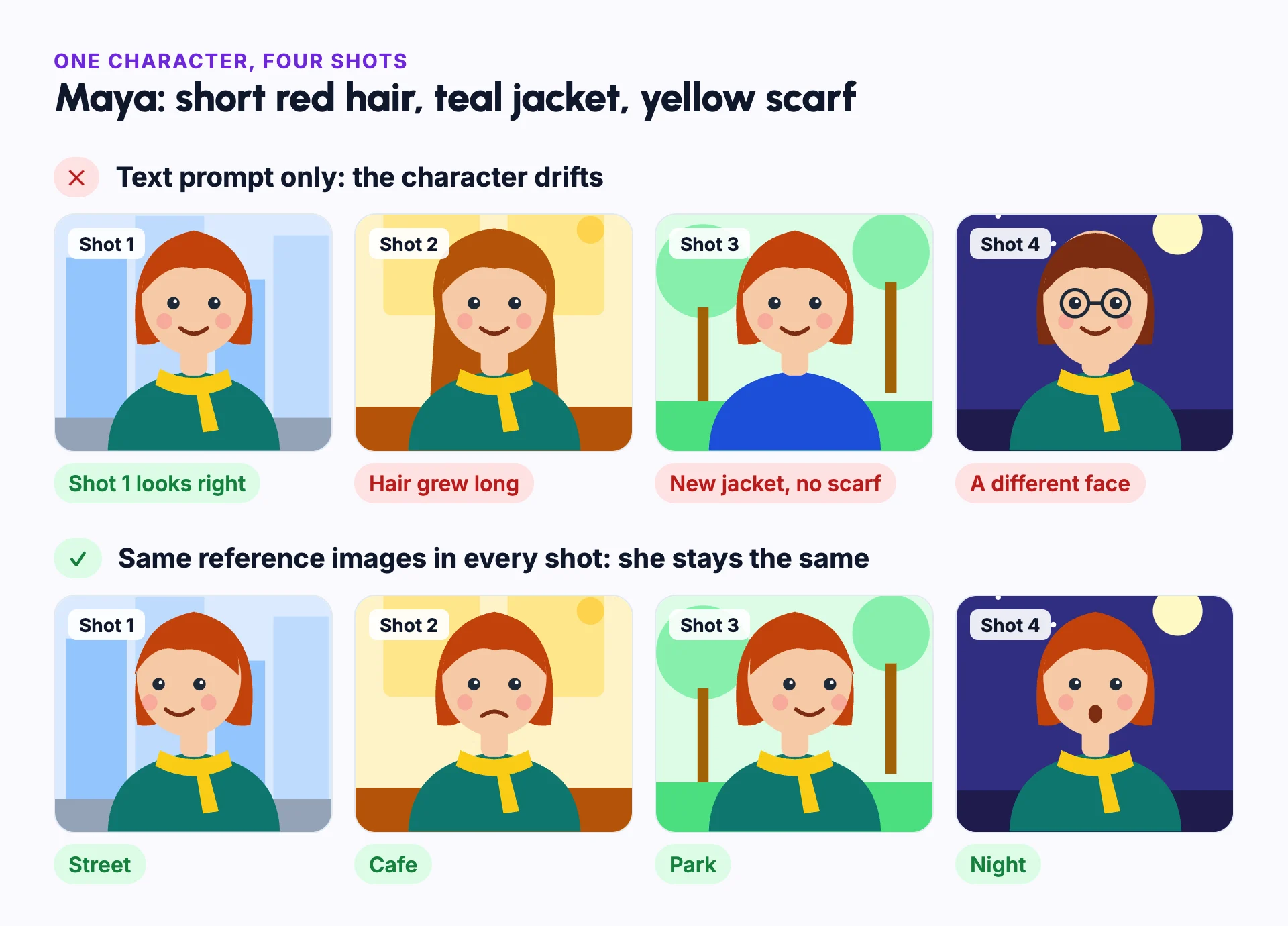
Take Maya, a character with short red hair, a teal jacket and a yellow scarf. Ask an AI model for four shots using only that description: a street, a cafe, a park and a night scene.
The first shot matches. In the second, her hair has grown long. In the third, the scarf is gone and the jacket is blue. In the fourth, she has a different face. Each image works on its own, but together they show four different people.
Now give the model the same reference images for every shot. Her pose, expression and setting change, but her face, hair, jacket and scarf stay the same. That is the result to aim for.
How creators keep characters consistent
Professional AI filmmakers do this by hand. They make a character sheet, keep reference images, and add those references to the prompt for every shot.
That works, but it takes many hours. Each shot needs its own prompt, and the references must be managed across several tools.
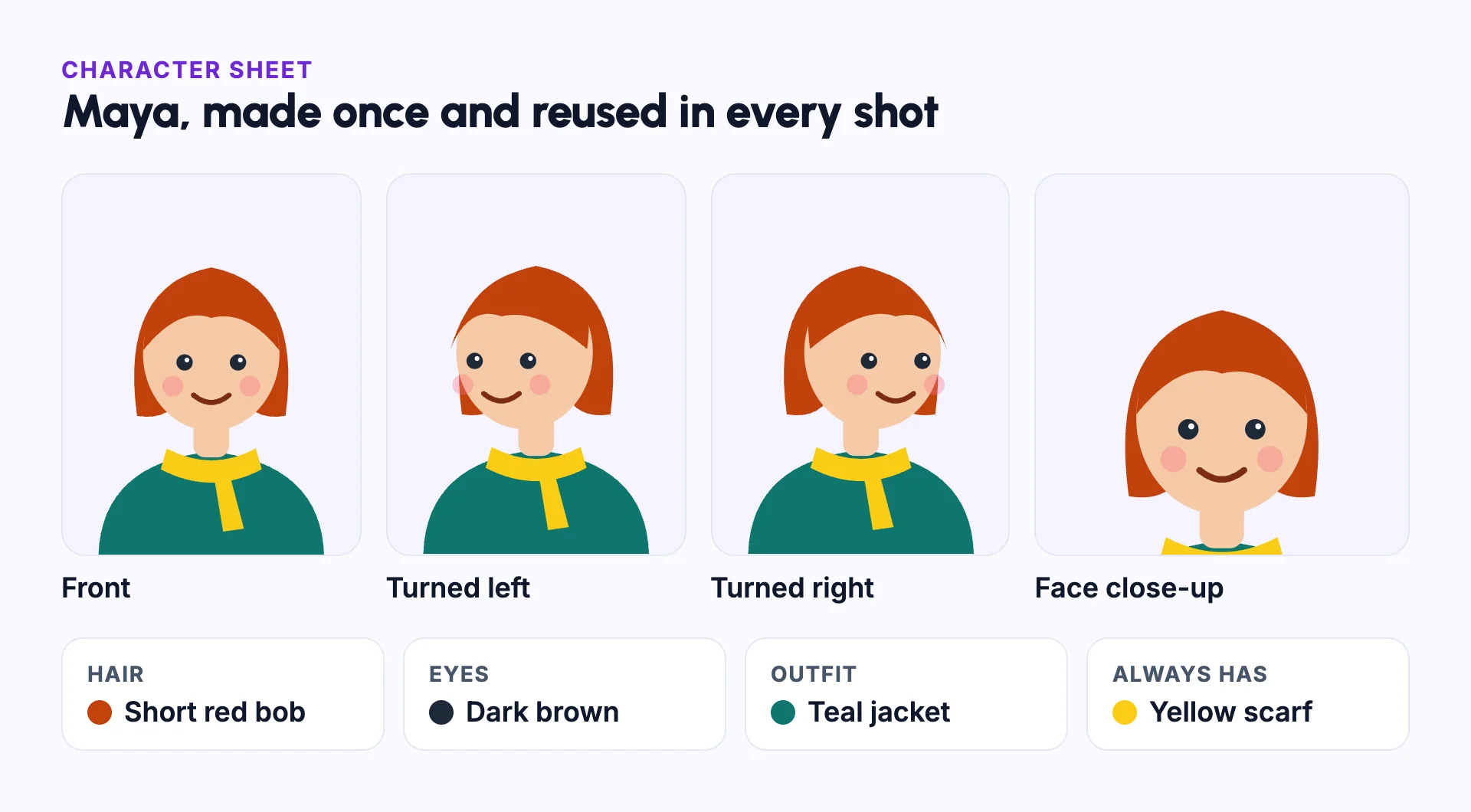
- Create the character once, with several angles and a clear face.
- Reuse the same reference images for every shot.
- Keep the visual style the same for the whole video.
- Name the character in the script so you know where they appear.
What should stay the same, and what can change
Consistency does not mean every shot looks identical. A story needs the character to move, react and be seen from new angles. The skill is deciding which details are fixed.
- Always fixed: face shape, eye colour, skin tone, hair style and hair colour, and body shape.
- Fixed unless the story changes them: the outfit and signature items, like Maya's scarf.
- Can change in every shot: pose, expression, camera angle, lighting and background.
Character consistency vs style consistency
| Character consistency | Style consistency | |
|---|---|---|
| What stays the same | One character's face, hair, body and outfit | The look of the whole video: colours, lighting and how it is drawn or rendered |
| What breaks without it | Viewers stop recognising the character | Shots look like they come from different videos |
| How you keep it | The same reference images in every shot | One visual style, chosen once for the whole video |
| When you need it | A character appears in more than one shot | Any video made of more than one clip |
Common mistakes
Describing the character only in words
Words leave room for the model to guess, and it guesses differently each time. Use reference images in every shot.
Using a weak reference image
Sunglasses, a hidden face or a tiny figure in a wide shot gives the model little to copy. Use a clear, well-lit face and several angles.
Changing the visual style partway through
A new style redraws the character too. Pick one style and keep it for the whole video.
Crowding many characters into one shot
Models can mix up features between characters. Keep shots to fewer characters, and give each one its own reference images.
Animating before checking the stills
Review each still image first. Image to video carries any mistake into the clip, and animation costs more to redo.
In Frameloop
How it works in Frameloop
- Character consistency is Frameloop's core strength.
- Save a character once and reuse it in any scene, video or episode.
- Character sheets show several angles and a close-up of the face.
- Several consistent characters can appear in one video, and reference objects and products can stay consistent too.
- The number of saved characters depends on your plan.
Questions people ask
Why does my AI character look different in every image?
Each image is generated from scratch. A text description leaves many details open, so the model fills them in differently each time. Reference images close those gaps.
Can AI keep the same character across a whole video?
Yes, when every shot uses the same reference images. Small differences can still appear, so review each scene before you publish.
How many reference images do I need?
Start with a clear front view, a view from each side and a close-up of the face. A few sharp images work better than many poor ones.
Does character consistency work for animation too?
Yes. The usual way is to make a consistent still image for each shot, then animate it, so every clip starts from the right character.