
Key takeaways
- 01AI cartoons can be 2D or 3D.
- 02They are popular for kids content, faith stories, comedy and explainers.
- 03A recurring cartoon character is what turns single videos into a series.
How AI cartoons are made
Traditional animation needs artists to draw or model every frame. That cost is why many explainer videos and kids channels now use AI. AI generates the scenes from a script and a description of the look.
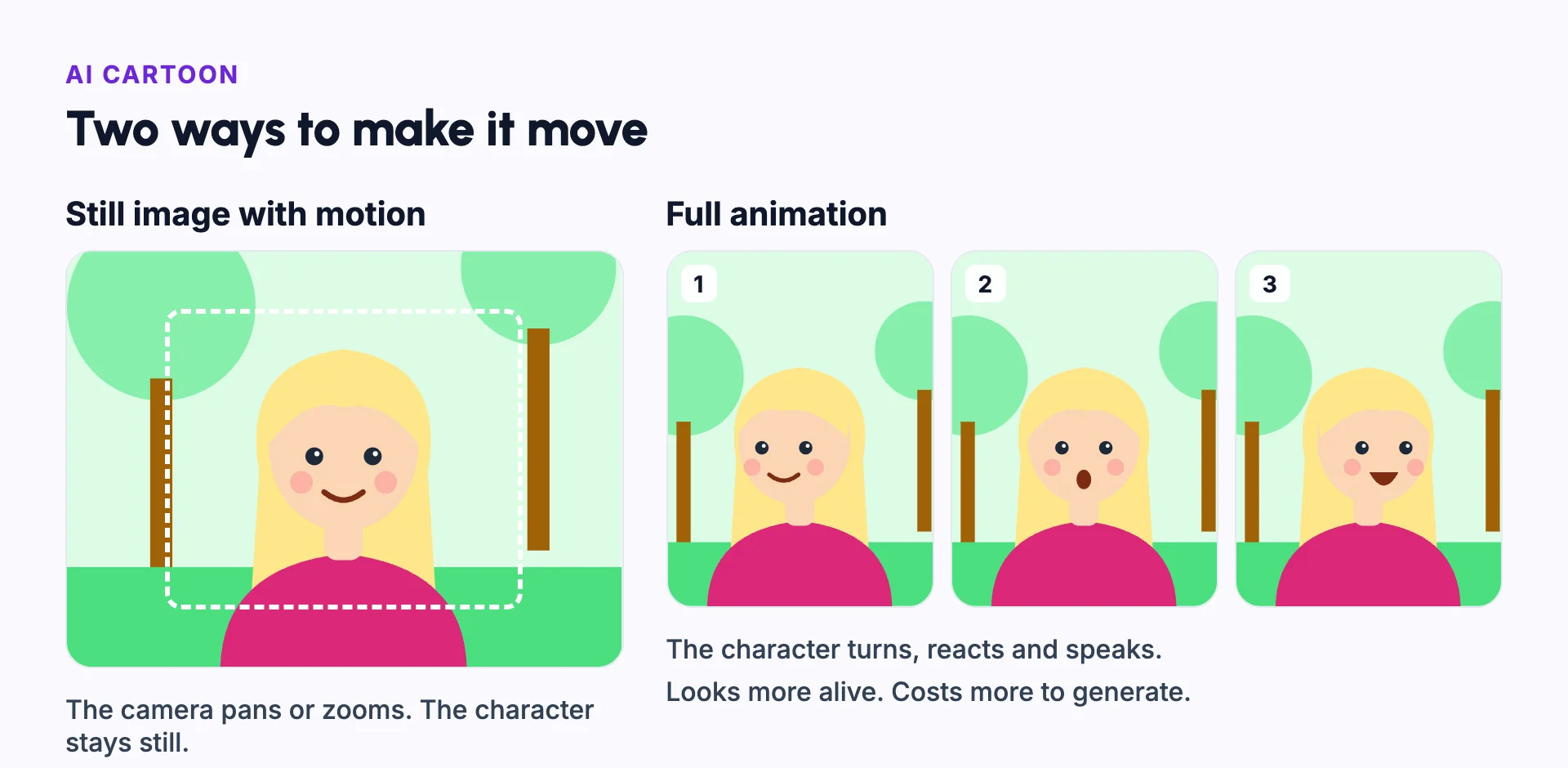
Still AI images with motion effects, like the Ken Burns effect, are the cheapest option. Fully animated scenes, made with AI animation, look more alive, but they cost more to generate.
What makes an AI cartoon work
Pick one look and keep it for the whole video. Mixing looks makes a cartoon feel cheap.
Kids and families come back for characters they know. Character consistency keeps each character's design the same in every scene and every episode.
Example: a kids story series
Pip is a made-up bunny who is scared of the dark. Each episode is about two minutes long and teaches one small lesson, like asking for help or trying something new.
Every episode uses the same Pip, the same narrator voice and the same bright 2D style. The opening line is always the same, so young viewers know what is coming.
Calm scenes use still images with slow camera moves. The moment Pip finds his courage is fully animated, so it stands out.
Each episode ends with Pip saying the lesson in one line. Parents hear the point, and children remember it.
Avoid copying famous characters
Do not make cartoons with characters owned by someone else, like famous film or TV characters. A copyrighted character can get a video removed, even if you describe it in your own words.
Design your own cast instead. Give each character one clear shape, a few fixed colours and one trait viewers can remember. Original characters are also yours to build a series around.
2D vs 3D AI cartoon
| 2D cartoon | 3D cartoon | |
|---|---|---|
| Look | Flat, drawn and graphic | Rounded, with depth and lighting |
| Consistency | Usually easier to keep the same | Small changes in shape or lighting show more |
| Best for | Kids stories, explainers and comedy | Story series and short films |
| Feel | Light and simple | Closer to animated films |
Common mistakes
Copying famous characters
Design original characters. Others' characters can get your videos removed.
Changing the character's design
Keep the same shapes and colours in every scene and episode.
Animating every scene
Use still images with camera moves for calm scenes, and save full animation for key moments.
Too much text on screen
Young viewers may not read. Let the narrator and the pictures tell the story.
Mixing styles
Pick one style, like 2D or 3D, and keep it for the whole series.
In Frameloop
How it works in Frameloop
- Make 2D and 3D cartoon videos and short films from an idea or a script.
- Choose AI images for low cost, or AI animation to animate every scene.
- Saved characters stay the same across scenes and episodes.
- Images that look like copyrighted characters are blocked.
Questions people ask
Can AI make a cartoon from a story?
Yes. Some tools turn a story or a script into scenes with a consistent character, voiceover, captions and music.
Can I make cartoons for kids with AI?
Yes. On YouTube, mark videos made for kids correctly when you upload, and keep the content suitable for that age.
How do I keep my cartoon character the same?
Use one reference image of the character, and a tool that reuses it in every scene. See character consistency.
Is 2D or 3D better for an AI cartoon?
2D is usually easier to keep consistent and suits kids content. 3D looks closer to animated films but shows small changes more.