
Key takeaways
- 01It is nonfiction: real events, real people, real ideas.
- 02Research and storytelling matter more than visual effects.
- 03AI visuals are illustrations. Do not present them as real footage.
What makes a good documentary-style video
Start with a question the viewer wants answered, as your hook. Then tell the story in order, with turning points that keep people watching.
Use sources you trust, and check every fact. The same rule applies to an explainer video. A documentary loses its audience quickly once viewers spot an error.
How to structure one
- Open with a question or a turning point, not with background.
- Introduce the people and the place.
- Tell the events in order, with rising stakes.
- Close with what happened next, or why it still matters.
- Use a narrator to link the parts, and let quotes, maps and dates carry the facts.
- End each part with a small question that pulls the viewer into the next one.
Using AI visuals honestly
Many history and science topics, common on faceless channels, have no footage at all. AI images and AI animation can show what words alone cannot, like an ancient city or a cell dividing.
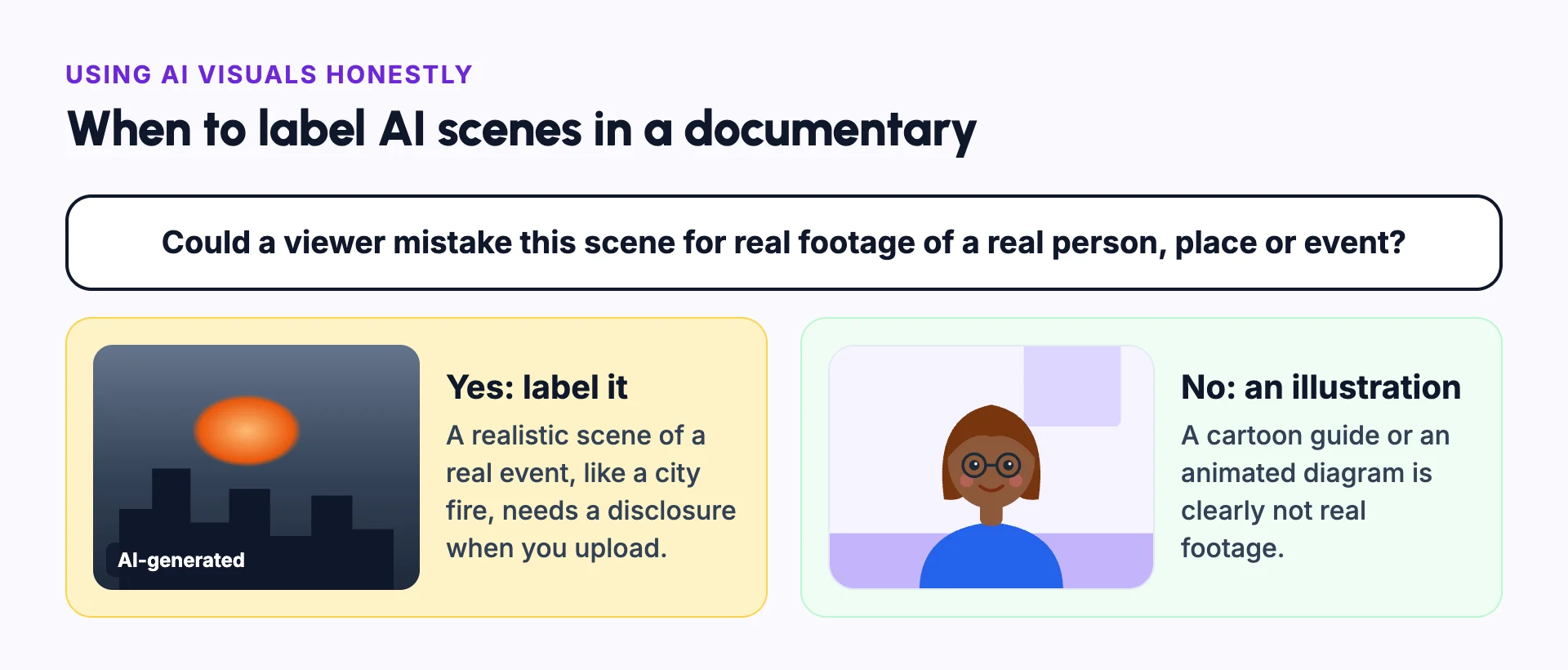
Treat these visuals as illustrations. If a scene could be mistaken for real footage of a real event, say that it was made with AI. Platforms like YouTube ask creators to label realistic AI content.[1] This is called AI content disclosure.
Example: a history documentary
Say you are making a ten-minute video about the Great Fire of London in 1666. There is no film of it, so every visual must come from somewhere else.
You could use old paintings and maps, which are real records. You could use AI images in a painted style, which viewers will see as illustrations. Or you could make realistic AI scenes of the fire.
The realistic scenes are the most striking, but a viewer could mistake them for real footage. YouTube asks creators to disclose realistic altered or synthetic content like this when they upload.[1]
Documentary-style video vs explainer video
| Documentary-style video | Explainer video | |
|---|---|---|
| Built around | A story with people, places and events | One idea or question |
| Typical length | Five minutes to an hour | One to ten minutes |
| Tone | Serious and narrative | Clear and direct |
| Visuals | Archive material, footage and illustrations | Diagrams, animation and examples |
Common mistakes
Realistic AI scenes with no label
Disclose realistic AI scenes of real events when you upload, and consider a note on screen.
Mixing facts and guesses
Make it clear when you are speculating. Say "historians think" rather than stating it as fact.
No sources
Keep a list of sources and add the main ones to the description.
Music that tells viewers how to feel
Use music to support the story, and keep it under the narration.
Long openings
Start with the moment that makes the story worth watching.
In Frameloop
How it works in Frameloop
- Make documentaries on history, science, money and true stories, as Shorts or long-form videos up to 30 minutes, depending on your plan.
- Use AI images, AI animation or real stock footage for each scene.
- Saved characters let a historical figure look the same in every scene.
- Review every scene before you publish. AI output varies.
Questions people ask
Do I need to label AI scenes in a documentary?
If a scene looks realistic and shows a real person, place or event, YouTube asks you to disclose it when you upload.[1] Clear illustrations and animation usually do not need a label.
Can I make a documentary without real footage?
Yes. Many use archive photos, maps, illustrations, animation and narration. Be clear about which visuals are recreated.
How long should a documentary-style video be?
Most on YouTube run from five to thirty minutes. Pick the shortest length that tells the full story.
What makes documentary narration work?
A calm, steady voice, short sentences and a clear order of events. Let the visuals carry the details.
Sources
- [1]Disclosing use of GenAI content, YouTube Help