
Key takeaways
- 01Graphics react to the music, so the video feels alive without a story.
- 02It is the fastest way to give a song a video for YouTube.
- 03Good visualizers add the lyrics, the title and the cover art.
When musicians use visualizers
Full music videos take time and money. A visualizer lets an artist release every track with a video, from singles to album cuts.
Visualizers also suit background listening, like lo-fi, ambient and DJ mixes, where people play the video but do not watch it closely.
How a visualizer reacts to sound
A visualizer reads the audio many times a second. It splits the sound into frequencies, from low bass to high treble, and measures how loud each one is.
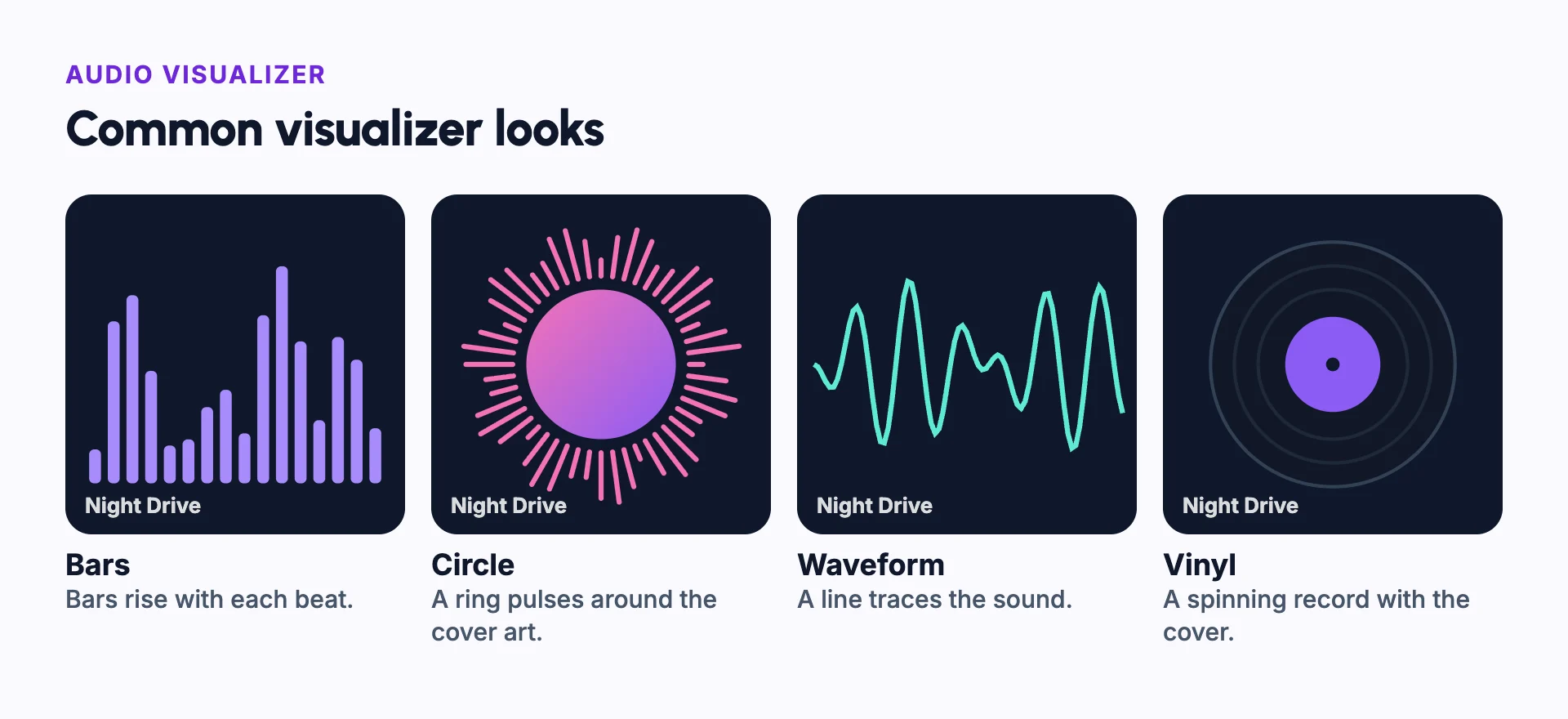
Each part of the graphic follows one range. Bars on the left often follow the bass, so they jump on every kick drum. Bars on the right follow the high notes, like cymbals and vocals.
Smoothing stops the motion from looking jittery. Too much smoothing makes it feel slow and late.
What makes a good visualizer
Match the motion to the music. Fast songs need sharp, energetic movement. Slow songs need smooth, gentle motion.
Add the lyrics, line by line, so fans can sing along, as in a lyric video. Use the cover art and the artist's colours so the video looks like part of the release. Make a vertical video version too, for Shorts and Reels.
Example: releasing an album with visualizers
An artist releases a ten-track album. Each track gets its own visualizer on YouTube, so every song can be found and shared on its own.
All ten use the same template, such as a pulsing ring around the cover art, with each song's title. The colours change slightly from track to track, so the set looks like one release.
The single that gets a full music video still has a visualizer too, for listeners who just want the audio.
Short vertical cuts of each visualizer can then go to Shorts, Reels and TikTok, with a link to the full track.
Audio visualizer vs music video
| Audio visualizer | Music video | |
|---|---|---|
| Shows | Graphics that move with the sound | A story, a performance or both |
| Effort | Minutes per track, once the template is ready | Days to weeks |
| Best for | Every track on a release, and podcasts | Singles and lead tracks |
| Holds attention by | Motion and the cover art | Story, people and scenes |
Common mistakes
Motion that does not match the music
Pick a style that fits the song: smooth for ambient, sharp for electronic.
Hiding the cover art
Keep the cover and the song title easy to see.
Using a new style for every track
Use one template per release, so the tracks look like a set.
Too much motion
Let the graphics breathe in quiet parts. Constant movement tires the eye.
A low-quality cover image
Use a sharp, large cover image. It fills most of the screen.
In Frameloop
How it works in Frameloop
- Audio Visualizer turns a song into an animated visualizer with templates such as Vinyl, Bars, Circle, Now Playing, Lyrics and Waveform.
- Lyrics appear one line at a time, and a title and cover art are made automatically.
- Output is 16:9, 9:16 or 1:1, for songs up to 10 minutes.
- Audio Visualizer videos cost credits, so they need a subscription.
Questions people ask
What is an audio visualizer used for?
To give a song or podcast a video version for YouTube and social media, without making a full music video.
How does an audio visualizer work?
It splits the audio into frequencies and measures how loud each one is, many times a second. The graphics move with those levels.
Can I use a visualizer for a podcast?
Yes. A waveform or a pulsing circle around the show's cover art works well for podcast clips.
Is a visualizer enough for a single?
It works for most tracks. For a lead single, many artists add a music video or a lyric video too.