

Karunakar Gautam
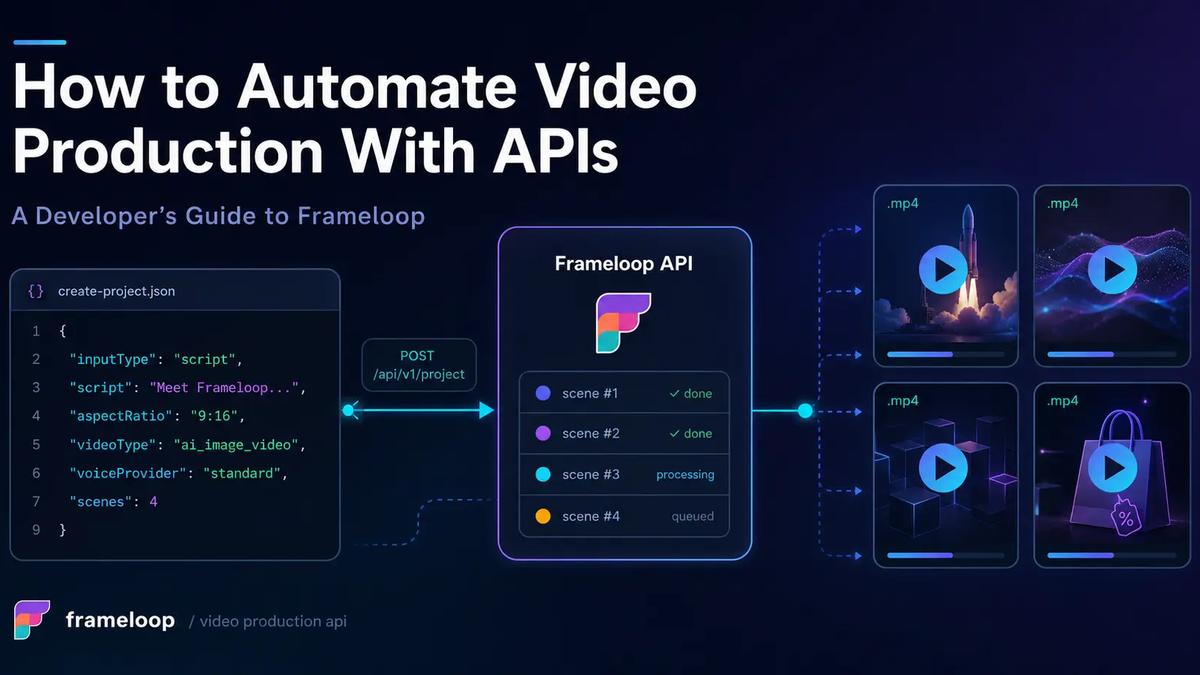
Manual video production breaks at software scale.
A video production API lets your application turn structured inputs into finished videos without asking an editor to repeat the same setup, scene selection, narration, captioning, music, and export work for every asset. For developers and agencies, that means video can become part of a product workflow instead of a separate creative queue.
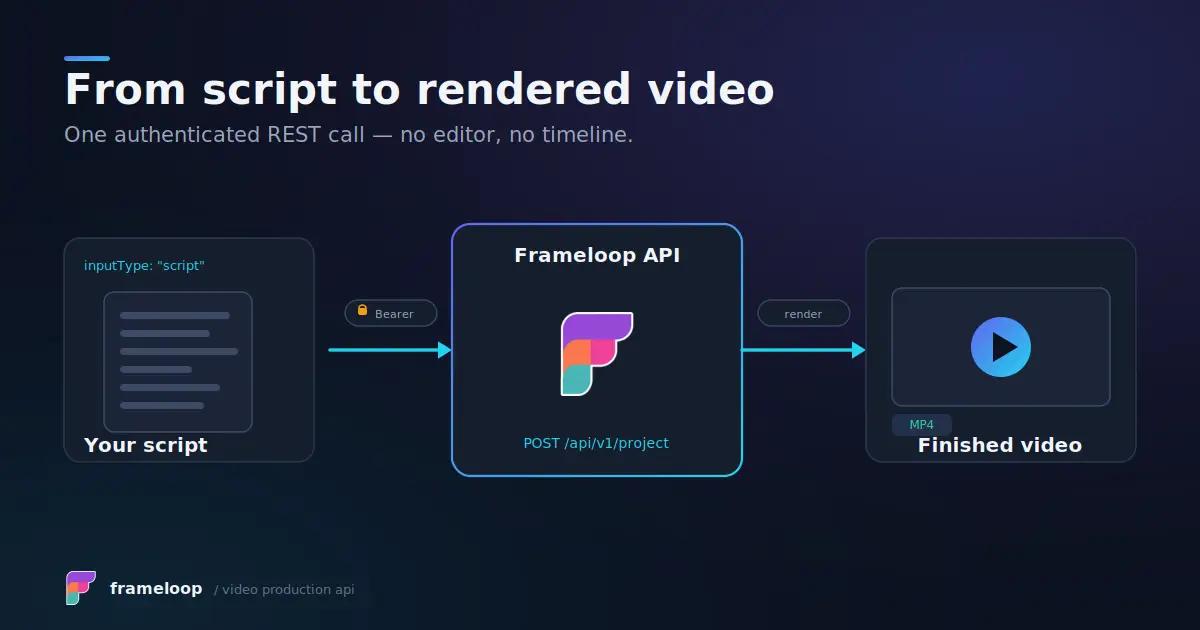
Frameloop sits between two categories that searchers often confuse. It is an AI video API because it generates visuals, narration, captions, and scenes from an idea or script. It is also a video automation API because it exposes project orchestration, scene-level changes, final rendering, webhooks, credits, and reusable characters through REST endpoints.
This guide explains what the public API actually supports, how to create videos programmatically, and how to build a dependable pipeline around it.
A video production API is a service that accepts structured instructions, runs the production workflow in the cloud, and returns a rendered video or a URL to the finished file. Your application controls the request while the provider manages generation, processing, and rendering infrastructure.
That is different from writing directly against FFmpeg, Remotion, or After Effects templates. Those approaches give you deep composition control, but your team must build the timeline logic, asset handling, render workers, storage, retries, and scaling layer. A managed video rendering API moves much of that operational work behind a REST interface.
It is also different from a raw text-to-video model such as a Sora, Veo, Runway, or Kling endpoint. A model API usually focuses on generating individual visual clips. A production system must also manage scripts, scenes, voice-over, subtitles, music, aspect ratio, consistency, revisions, and final MP4 delivery.
Frameloop’s public API is designed around that second job. Its documented surface includes supported-option discovery, project creation, credit estimation, project status, scene media replacement, caption and music updates, character management, final render orchestration, and account credit checks.
That boundary is useful for dynamic video generation API workflows. Your team keeps dynamic data, templates, placeholders, approval logic, personalization at scale, publishing, and storage, while Frameloop handles computational production. You still build product logic, but avoid maintaining render workers, GPU capacity, media processing, and cloud rendering infrastructure.
The service uses OpenAPI 3.1.0 and the server base URL https://frameloop.ai. Authentication is required for all documented operations through an HTTP Bearer token.
Frameloop combines AI generation with a focused editing layer, but it is not a generic timeline-composition engine. That distinction matters when developers compare an AI video API with a JSON to video API or a traditional video editing API.
A general composition API often asks you to define every clip, overlay, transition, coordinate, and timeline position in JSON. Frameloop starts at a higher level. You submit an idea or script plus production settings, and Frameloop creates the project structure and scenes.
The API currently supports three core video types:
Projects can use vertical 9:16, landscape 16:9, or square 1:1 aspect ratios. Image and animation quality are selected with standard, advanced, premium, or max tiers. Animated projects can request 720p or 1080p, although 1080p requires an eligible subscription.
The public editing surface becomes available after project generation completes. Your application can retrieve scenes, request stock suggestions for a scene, replace scene media with a stock clip or custom hosted video, update background music, and update burned-in caption settings.
That makes Frameloop useful for programmatic video creation with controlled revisions. It does not mean the public API exposes every editor capability as arbitrary timeline JSON. The schema does not currently document generic clip insertion, free-form overlays, transition objects, or complete timeline construction.
The practical model is generate first, inspect the scenes, apply supported corrections, then render.
This approach fits agencies, creator platforms, content systems, and internal tools that need AI speed while preserving a review or approval step.
Programmatic video creation with Frameloop follows two asynchronous stages: project generation and final rendering. Project creation starts orchestration immediately, while the render endpoint later produces the final video after the project is complete and any supported edits are applied.
Create an API key in Frameloop and store it in a server-side secret manager. Never expose it in browser code, a public repository, client-side logs, or an agent prompt.
Every request uses the header:
Authorization: Bearer YOUR_SECRET_TOKEN
Start with GET /api/v1/options. This endpoint returns the values your application should use when constructing requests, including input types, aspect ratios, video types, model tiers, pacing, visual-style IDs, voice IDs, music IDs, and caption presets.
curl <https://frameloop.ai/api/v1/options> \
--header "Authorization: Bearer $FRAMELOOP_API_KEY"
Do not hard-code display names as API identifiers. Fetch the options, cache them briefly, and validate each request against the latest response.
The current schema allows script and idea inputs. Idea-based requests also require duration, language, and storyType. Voice selection requires both voiceProvider and a valid voiceId returned by the options endpoint.
Send the intended project payload to POST /api/v1/project/estimate. The endpoint accepts the same core request as project creation, creates nothing, and charges no credits.
Its response includes:
This step makes video API pricing predictable inside your own product. You can display an estimate, reject oversized jobs, enforce tenant allowances, or require approval above a budget threshold.
You can also call GET /api/v1/account/credits to retrieve the subscription, top-up, and total credit balance. The public response represents these values as strings, so parse them carefully before performing arithmetic.
Frameloop currently lists API access on paid creator plans. Check the live Frameloop pricing page before designing customer-facing quotas because plan limits and credit allowances can change.
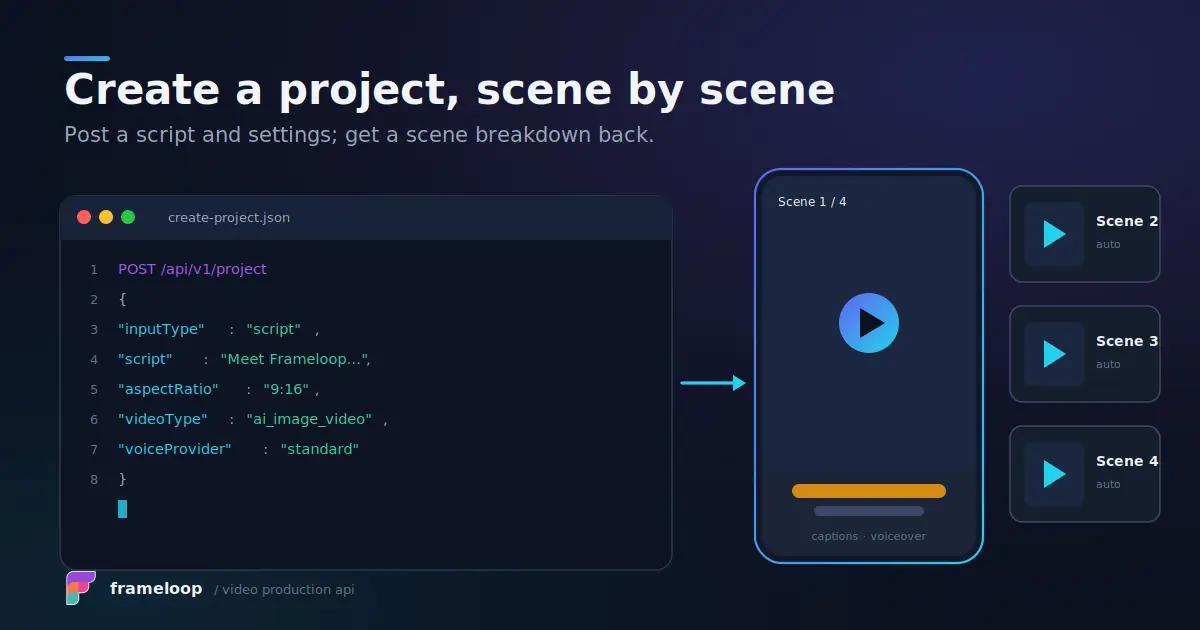
POST /api/v1/project creates a project and starts generation orchestration immediately. The required fields are:
A script request can look like this:
{
"title": "Coffee History Short",
"inputType": "script",
"content": "Coffee travelled from Ethiopia to cafes around the world...",
"voiceProvider": "standard",
"voiceId": "VOICE_ID_FROM_OPTIONS",
"aspectRatio": "9:16",
"videoType": "ai_animated_video",
"animationModel": "advanced",
"animationResolution": "720p",
"visualStyle": "STYLE_ID_FROM_OPTIONS",
"music": {
"id": "auto",
"volume": 0.15
},
"captions": {
"enabled": true,
"style": "STYLE_ID_FROM_OPTIONS",
"alignment": "bottom",
"highlightColor": "#FDB000",
"fontSizeScale": 1,
"textCase": "default"
},
"idempotencyKey": "coffee-history-2026-001",
"webhookUrl": "<https://example.com/webhooks/frameloop/project>"
}
The response stores its identifier under data.projectId, not a top-level id. It also returns chargedCredits and createdAt.
Idempotency is essential for reliable REST API video generation. Replaying the same payload with the same key returns the original data snapshot. If the key is reused with conflicting data, the API can return IDEMPOTENCY_CONFLICT.
Poll GET /api/v1/project/{projectId} or process your HTTPS webhook. Project status can be queued, in_progress, complete, or failed.
When the status becomes complete, the response includes scenes. Each scene exposes an ID, optional scene number, dialogue text, and primary media. Video media can also include a stockVideoId.
Do not trigger final rendering before generation completes. Use exponential backoff with jitter if you poll, and stop after a sensible deadline. The OpenAPI schema documents errors for rate limits and concurrency limits, but it does not publish numeric limits. Your worker should therefore handle RATE_LIMIT_EXCEEDED and CONCURRENCY_LIMIT_EXCEEDED explicitly.
Frameloop’s project patch endpoint supports batch changes to scene media, music, and captions. It gives developers a controlled correction layer without requiring them to rebuild the entire project.
For a completed project, call:
GET /api/v1/project/{projectId}/scenes/{sceneId}/stock-suggestions
Each suggestion includes a stockVideoId, keyword, and playback URL. Use the ID in a replace_scene_media action.
{
"actions": [
{
"action": "replace_scene_media",
"sceneId": "scene_123",
"media": {
"type": "video",
"stockVideoId": 456
}
}
]
}
To use your own hosted clip, provide a valid URL instead of stockVideoId. Exactly one source is allowed per action.
The same PATCH /api/v1/project/{projectId} request can include set_music and set_captions. Music can use a system ID, auto, no_music, or an external MP3 URL. Volume, start time, and optional fade settings are configurable.
Caption updates can change whether captions are enabled, style, alignment, highlight color, font-size scale, and text case. Omitted values keep the stored settings.
Music and caption actions are applied only after project status is complete. The API allows at most one set_music and one set_captions action in each patch request.
A patch changes project data, not an MP4 that has already been rendered. Trigger another final render to bake the revised scenes, music, or captions into the output.
To automate video production safely, separate ingestion, orchestration, rendering, delivery, and publishing. A single long-running HTTP handler is not a production architecture.
Use this pipeline:
CMS, SaaS app, database, or AI agent
↓
Internal video job endpoint
↓
Validation and GET /options resolution
↓
Estimate, credit check, and approval rules
↓
POST /project with idempotency key
↓
Webhook receiver or status worker
↓
Optional scene review and PATCH actions
↓
POST /render with a new idempotency key
↓
Render webhook or status polling
↓
Download, store, and publish
The final-render request requires its own idempotencyKey and can include another HTTPS webhookUrl. POST /api/v1/project/{projectId}/render returns data.renderTaskId, data.projectId, and processing status. A newly charged render may also return chargedCredits.
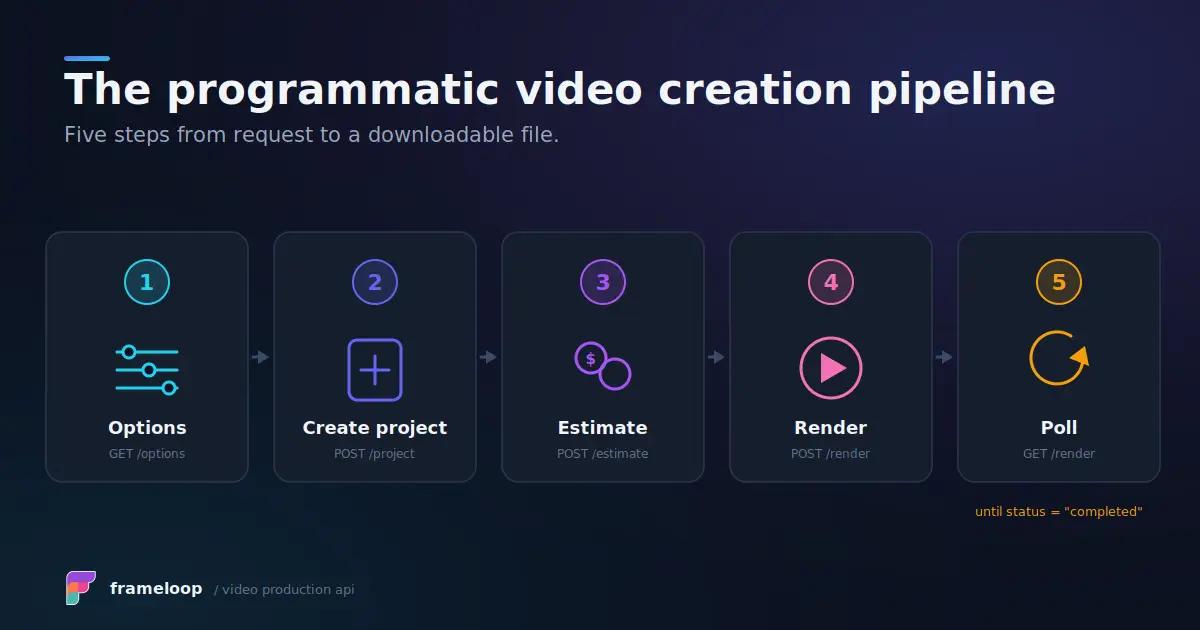
Check progress with GET /api/v1/project/{projectId}/render. Status can be not_started, queued, processing, completed, failed, or cancelled. The response may include progress from zero to 100 and returns outputUrl when the render succeeds.
Copy the completed file to your own object storage when you need permanent retention, signed customer access, CDN delivery, or a controlled deletion policy.
A bulk video creation API workflow should use a queue with bounded concurrency. Do not launch hundreds of requests in parallel and hope the provider absorbs the spike.
Store these fields for every job:
Model the workflow as a state machine. Useful states include received, validated, estimated, generating, review, rendering, completed, stored, published, and failed.
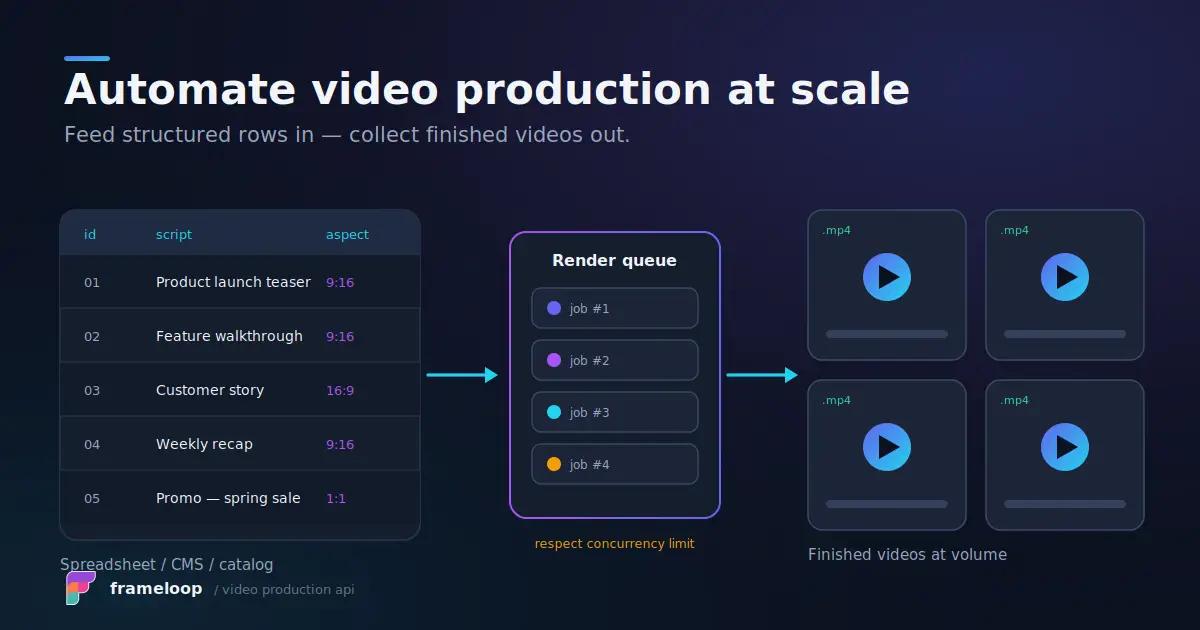
Retry temporary network failures and limit responses with backoff. Do not automatically retry invalid fields, revoked keys, insufficient credits, unsupported tasks, or missing characters. Those require a configuration change or human decision.
Webhooks reduce unnecessary polling, but production systems should not depend on one callback arriving exactly once. Verify that the endpoint uses HTTPS, respond quickly, make processing idempotent, and enqueue heavier work.
Run a scheduled reconciliation job for projects that remain unresolved. That worker can call the project or render status endpoint and repair jobs after missed callbacks or deployment failures.
The public schema documents webhook URLs but does not describe a signature field. Until the documentation specifies webhook verification, protect the endpoint with an unguessable path or token, validate referenced project IDs against your database, and confirm final state through the authenticated API before publishing.
Frameloop is a language-neutral video API for developers because it uses HTTPS, JSON, Bearer authentication, and an OpenAPI schema. There is no official SDK listed in the supplied public specification, so Node.js and Python applications can use standard HTTP clients or generate a client from the downloadable OpenAPI document.
const baseUrl = "<https://frameloop.ai>";
const apiKey = process.env.FRAMELOOP_API_KEY;
async function frameloop(path: string, init: RequestInit = {}) {
const response = await fetch(`${baseUrl}${path}`, {
...init,
headers: {
Authorization: `Bearer ${apiKey}`,
"Content-Type": "application/json",
...init.headers
}
});
const body = await response.json();
if (!response.ok) {
throw new Error(`${body.error?.code}: ${body.error?.message}`);
}
return body;
}
const created = await frameloop("/api/v1/project", {
method: "POST",
body: JSON.stringify(projectPayload)
});
const projectId = created.data.projectId;
import os
import requests
BASE_URL = "<https://frameloop.ai>"
HEADERS = {
"Authorization": f"Bearer {os.environ['FRAMELOOP_API_KEY']}",
"Content-Type": "application/json",
}
def frameloop(path, method="GET", payload=None):
response = requests.request(
method,
f"{BASE_URL}{path}",
headers=HEADERS,
json=payload,
timeout=60,
)
body = response.json()
if not response.ok:
error = body.get("error", {})
raise RuntimeError(f"{error.get('code')}: {error.get('message')}")
return body
created = frameloop("/api/v1/project", "POST", project_payload)
project_id = created["data"]["projectId"]
Both examples should add request timeouts, structured logs, retry rules, and secret management before production use. Generate types from the OpenAPI schema to catch invalid enum values earlier.
Frameloop supports reusable character libraries for consistent visual identities. The API can list saved characters, create a character from an HTTPS image URL or multipart JPEG, PNG, or WebP upload, and soft-delete a character.
GET /api/v1/characters uses cursor pagination with a limit from 1 to 100. Reference a saved character inside project creation as an ID-only object:
{
"characters": [
{ "id": "character_library_id" }
]
}
Character availability and storage limits depend on the plan. Free-tier character creation returns a dedicated blocked error, while full libraries can return a storage-limit response.
Model choice also affects roster size. For ai_image_video, the documented limits are no characters on standard, up to 10 on advanced, 14 on premium, and 16 on max. Animated projects derive the effective still-image tier from the animation model.
For no-code video automation, Zapier, Make, or n8n can call Frameloop through generic HTTP modules even when a native connector is unavailable. The same rules still apply: keep the API key secret, estimate first, use unique idempotency keys, wait for project completion, and treat rendering as a separate asynchronous stage.
Frameloop also provides an OpenClaw integration and a detailed guide to automating video production with OpenClaw. OpenClaw can research, choose a concept, and submit structured instructions, while Frameloop handles production.
The public OpenAPI document does not currently list an official MCP server for video generation. Developers should use the REST API or a constrained tool wrapper unless Frameloop publishes separate MCP documentation.
The best video production API integration is not the one with the longest endpoint list. It is the one your team can operate reliably when requests are duplicated, credits run low, a render takes longer than expected, or one scene needs correction.
Frameloop gives developers a structured production lifecycle: discover valid options, estimate cost, create from a script or idea, monitor generated scenes, replace media, update music and captions, render the final MP4, and retrieve its URL. Webhooks, idempotency keys, characters, explicit errors, and account credit checks make that lifecycle practical for agencies and product teams.
Start with one narrow workflow and a human approval gate. Once quality and costs are predictable, add queues, bulk generation, customer-facing controls, and agent orchestration.
Explore the Frameloop API documentation and build your first automated video pipeline.

Got great video ideas but need help bringing them to life? Frameloop AI makes it easy to create professional faceless videos with AI-generated visuals, voiceovers, and editing.
Try Frameloop AI For Free