

Karunakar Gautam

Looking for the best text to video AI free tools in 2026? We break down what to look for, what most tools get wrong and why Frameloop is smartest free option.
If you have been searching for the best text to video AI free tools in 2026, you already know the problem. There are dozens of options, every tool claims to be the easiest and most powerful, and most of them either watermark your videos, charge you before you can test anything meaningful, or hand you a finished video with zero ability to change a single scene.
This guide cuts through all of that. We cover exactly what to look for in a text to video AI tool, what most free tools get wrong, and which platform gives you the most value before spending a single dollar.
Text to video AI is a category of artificial intelligence tools that convert written text, scripts, or prompts directly into video content. You type in your script or describe a scene, and the AI generates the visuals, voiceover, transitions, and timing automatically.
In 2026, text to video generators have become the primary production method for:
The quality gap between tools is enormous. Some generate a rough slideshow with stock footage. Others generate scene-by-scene video with realistic motion, cloned voices, and consistent characters. Knowing what separates them is the first step to picking the right one.
Before looking at specific tools, it helps to understand the four biggest problems with free ai text to video tools in 2026.
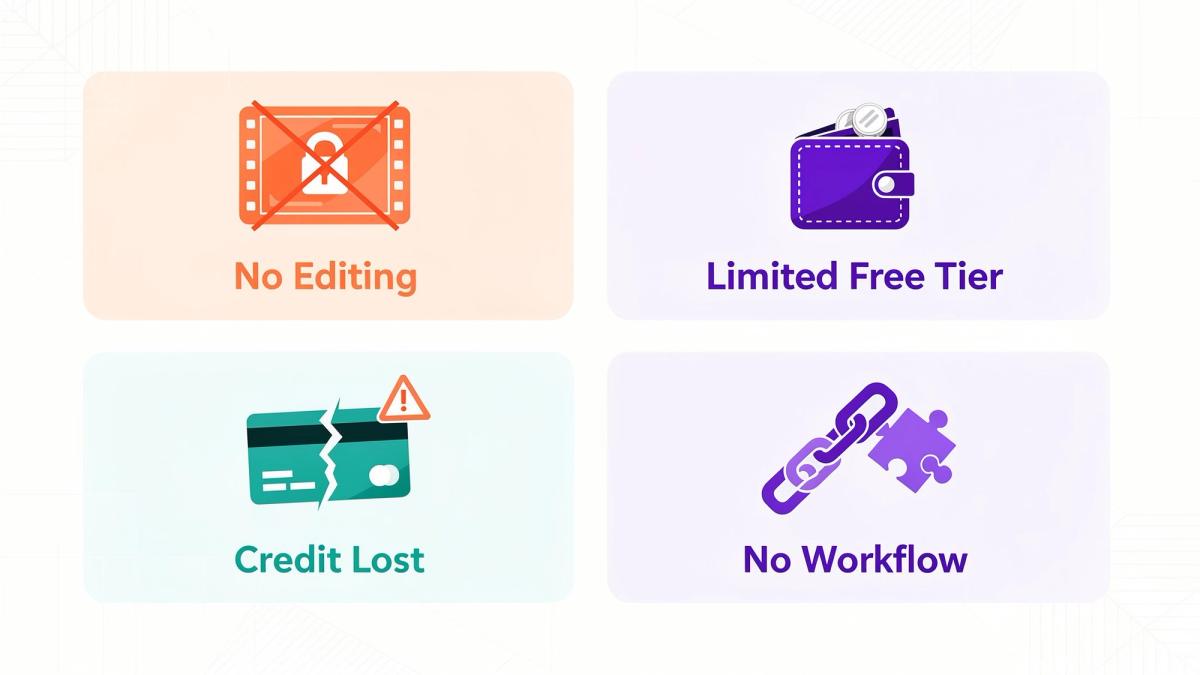
Problem 1: You cannot edit after generation
Most text to video generators treat the output as final. If scene 3 is wrong, if the voiceover on line 2 sounds off, or if the pacing feels slow in the middle, you regenerate the entire video from scratch. That means more credits, more time, and more frustration for every small fix.
Problem 2: Free tier is too limited to evaluate the tool properly
Many platforms give you one or two exports on the free tier and then immediately push you to a paid plan. You never get enough output to know whether the tool actually fits your workflow before committing money.
Problem 3: Credits are charged even when generations fail
This is one of the most common complaints across text to video AI platforms. You run a generation, you didn’t get output (for example - failure or stuck in processing), and the credits are gone anyway. For creators iterating on prompts, this adds up extremely fast.
Problem 4: No publishing workflow
Most tools stop at video export. You download the file, go to YouTube or TikTok, upload manually, write a description, research hashtags separately, and schedule the post. Every step is disconnected. For creators posting daily, this friction kills consistency.
When evaluating any text to video AI free platform, check for these five things before signing up.
Scene-level editing
The single most important feature. Can you change one scene without regenerating the entire video? If not, every revision costs you full credits and full generation time. This feature alone separates professional-grade tools from basic ones.
Generous free tier
A good free tier lets you generate multiple videos, test the quality on different types of scripts, and evaluate the output on your actual use case before paying. If the free tier only gives you one low-resolution watermarked export, it is not a real free tier.
Transparent credit system
Before you confirm any generation, you should know exactly how many credits it will cost. And if a generation fails, those credits should be returned automatically. Any tool that cannot commit to both of these is not worth trusting with a paid subscription.
Voice quality and cloning
Generic AI voiceovers are recognizable and off-putting to audiences in 2026. Look for a tool that either has a high-quality voice library or lets you clone your own voice and apply it consistently across every video you generate.
Publishing integration
The best ai text to video tools close the loop from script to published video inside one platform. Direct publishing to YouTube, TikTok, and Reels without manual downloading and re-uploading is now a baseline expectation for any serious content workflow.
Frameloop is the strongest text to video AI free option available in 2026 for creators who are serious about output quality and workflow efficiency.
Here is what makes it different from every other tool in this category.
Free tier that actually lets you evaluate the product
Frameloop gives you free credits on signup with no credit card required. This is not a one-export demo. You get enough credits to generate real videos, test different script styles, and evaluate the output on your actual content niche before committing to a paid plan. For anyone comparing text to video AI free tools, this is the most honest free tier in the market.
Scene-level editing after generation
This is Frameloop's most important differentiator in the text to video generator category. After your video is generated, you do not get a locked final output. You get a scene-by-scene editor where you can:
No other free text to video AI tool in 2026 gives you this level of post-generation control. This single feature eliminates the biggest frustration in the category and turns the convert text to video workflow from a guessing game into a precise editing process.
Voice cloning included
Clone your voice once inside Frameloop and apply it to every video you generate permanently. Your audience hears a consistent, natural-sounding voice on every piece of content rather than a rotating selection of generic AI voices. For faceless YouTube creators, this is the difference between a channel that feels like a brand and one that feels like a bot.
No charges for failed generations
If a generation fails for any reason, your credits come back. No exceptions. This makes iterating on prompts and experimenting with new script styles completely risk-free, which is exactly how a text to video AI free tool should work.
32 languages supported
Generate videos in 32 languages from the same script. For creators targeting multiple markets or brands running multilingual campaigns, this removes the need for separate tools or translation workflows.
Direct publishing to YouTube, TikTok, and Reels
After generating and editing your video inside Frameloop, you publish directly to YouTube, TikTok, and Reels from the same dashboard. No downloading, no re-uploading, no manual scheduling. Combined with the built-in YouTube Hashtag Generator, your entire content workflow from script to published video lives in one place.
1080p exports with commercial rights
Every video you export from Frameloop is 1080p with full commercial rights included on all plans including the free tier. No watermarks, no resolution limits, no licensing restrictions on how you use the content.
Frameloop is the right text to video AI free tool if you are:
Getting started with Frameloop's text to video AI free tier takes less than 5 minutes.
Go to frameloop.ai and create a free account with no credit card required
Choose your script input method — paste a script, describe a scene, or use a blog post URL
Select your voice from the library or set up voice cloning
Generate your first video and review it scene by scene in the editor
Make any changes at the scene level without regenerating the full video
Export at 1080p or publish directly to YouTube, TikTok, or Reels
Your free credits are waiting. No payment details needed to start.
The free tier on Frameloop is designed to give you a complete picture of the product before you commit. Here is a simple way to think about when to stay free and when to upgrade.
Stay on the free tier if:
Upgrade to a paid plan if:
The Standard plan at $39 per month gives you 600 credits, which translates to approximately 120 faceless videos or 20 AI animation videos per month based on 30-second videos. For any creator publishing daily, that is the right entry point for a professional workflow.
The best ai video tool 2026 is not the one with the most features on paper. It is the one that fits your actual workflow, gives you enough free access to evaluate it properly, and does not charge you for the inevitable failures that come with learning any new AI tool.
Frameloop is the only text to video AI free platform in 2026 that combines scene-level post-generation editing, a genuinely useful free tier, transparent credit tracking, voice cloning, and direct social publishing in a single workflow. For creators serious about building a consistent content engine, it is the obvious starting point.
Want to go deeper? Here’s how the built-in YouTube Hashtag Generator fits into your publishing workflow.

Got great video ideas but need help bringing them to life? Frameloop AI makes it easy to create professional faceless videos with AI-generated visuals, voiceovers, and editing.
Try Frameloop AI For Free