

Karunakar Gautam
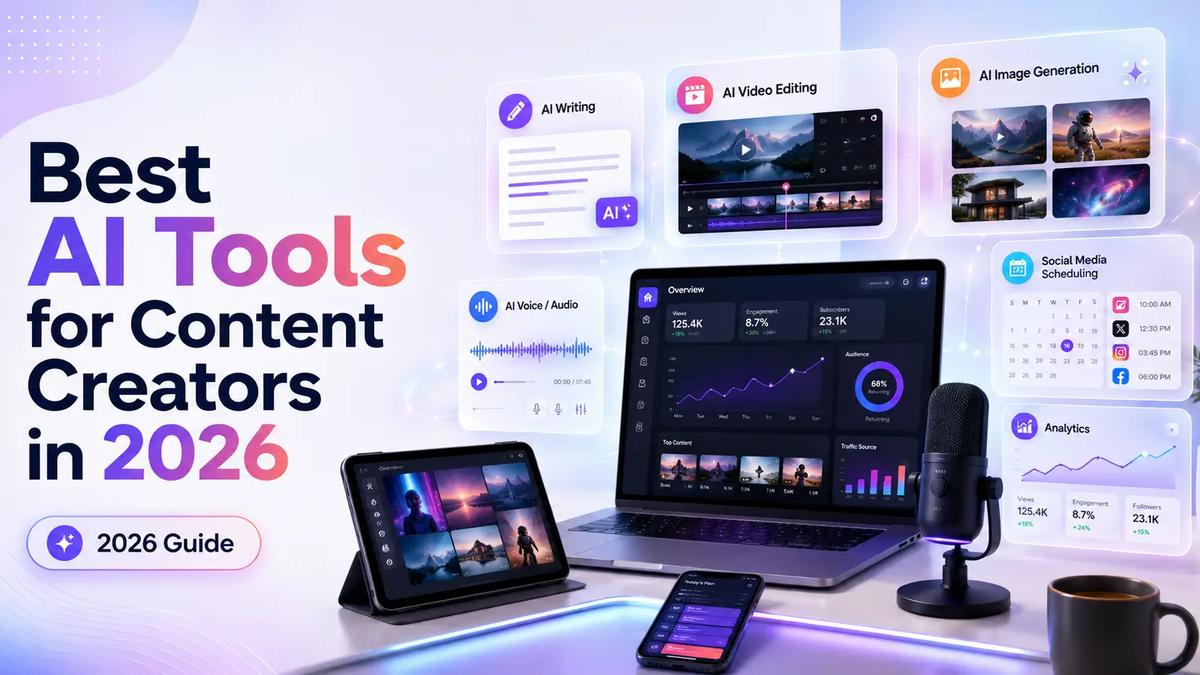
A practical 2026 guide to the best AI tools for content creators, covering video creation, writing, thumbnails, YouTube SEO, repurposing, publishing, and analytics.
Most creators do not need more tools.
They need a better stack.
That is the difference most “best AI tools for content creators” lists miss. A random list of 50 apps looks useful until you sit down to make a video, write a script, design a thumbnail, publish across platforms, and figure out why the content did not perform.
Content creation in 2026 is not about using AI to replace creativity. It is about using AI to remove the slow parts around creativity: blank-page thinking, first drafts, repetitive editing, visual generation, metadata, repurposing, and performance analysis.
The best AI creator tools do one of three things:
If a tool does none of those, it is probably just another subscription quietly eating your monthly budget.
This guide breaks down the best AI tools for content creators by workflow, not hype. You will see what each tool is best for, where it fits in your creator stack, and when you should avoid adding it.
The best AI tools for content creators in 2026 are ChatGPT or Claude for ideation and scripts, Frameloop for AI video creation, Canva for thumbnails and social graphics, Descript for talking-head and podcast editing, ElevenLabs for voiceovers, OpusClip for repurposing long videos, vidIQ or TubeBuddy for YouTube SEO, and Metricool or Buffer for publishing and analytics.
A strong creator stack should cover the full content workflow:
| Workflow Stage | Best AI Tool |
|---|---|
| Ideas and research | ChatGPT, Claude |
| Long-form planning | Notion AI |
| AI video creation | Frameloop |
| Thumbnails and graphics | Canva |
| Talking-head editing | Descript |
| Voiceovers and dubbing | ElevenLabs |
| Repurposing | OpusClip |
| YouTube SEO | vidIQ, TubeBuddy |
| Captions and polish | Grammarly |
| Scheduling and analytics | Metricool, Buffer |
The real advantage is not one magical AI tool. The advantage is a workflow where every tool has a clear job.
A content creator needs an AI stack because content creation has multiple jobs: strategy, scripting, visuals, voice, editing, SEO, publishing, repurposing, and analysis. One tool rarely handles every step well, especially if you create for YouTube, TikTok, Instagram, LinkedIn, or multiple platforms at once.
Here is the practical truth.
A YouTuber does not just “make a video.” They find an idea, validate demand, write a hook, structure the script, record or generate visuals, edit the video, design a thumbnail, write the title, optimize the description, publish, repurpose, and review retention.
A faceless creator has a different problem. They may not record footage at all, but they still need scripts, scenes, visuals, voiceovers, captions, pacing, and a system for producing consistently without creating low-quality AI slop.
A solo founder or marketer has another problem. They need content that explains a product, builds trust, drives clicks, and does not look like a generic AI template.
That is why the best content creation AI tools are not just “cool.” They solve bottlenecks.
A good stack should reduce friction at every stage:
If your stack only helps you generate content but does not help you improve it, your output gets faster but not better. That is how creators end up publishing more while growing less.
The best AI tool for a creator is the one that saves time without lowering the quality of the final content. A tool is worth adding only if it improves speed, consistency, quality, or distribution.
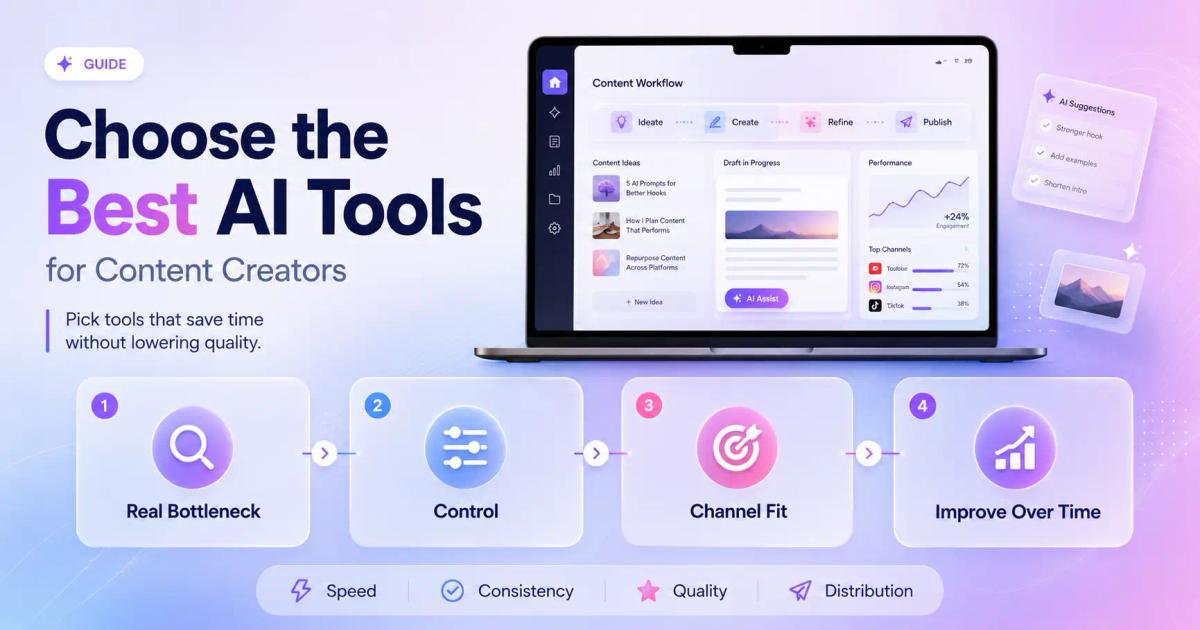
Use this simple filter before paying for any AI tool:
Do not buy an AI tool because it looks impressive in a demo. Buy it because it solves a recurring problem.
If your bottleneck is scripting, use ChatGPT or Claude. If your bottleneck is video production, use Frameloop’s AI video creation features. If your bottleneck is titles, use an AI YouTube title tool. If your bottleneck is publishing, use a scheduler.
Your stack should match your workflow, not someone else’s Twitter screenshot.
Speed without control creates generic content.
This matters most in video. Many AI video tools can generate something quickly, but creators often need to fix one scene, adjust pacing, change a visual, rewrite a voiceover, or make the video feel less robotic.
That is where a scene-based workflow becomes valuable. Frameloop is useful because creators can edit visuals, voiceovers, captions, effects, and scenes without rebuilding the whole video from scratch.
In 2026, the winning creator stack is not fully automated. It is AI-assisted with human taste added at the right moments.
A YouTube creator needs title, thumbnail, description, and retention tools. A LinkedIn creator needs writing, carousel, and repurposing tools. A TikTok creator needs speed, hooks, captions, and volume.
Do not build a “general AI stack.” Build a channel-specific stack.
The best AI tools do more than create content. They help you test angles, compare outputs, track performance, and make the next piece better.
Content creation is not a one-time task. It is a feedback loop.
The best AI tools for content creators in 2026 are the tools that cover the full creator workflow: ideas, writing, video, audio, thumbnails, SEO, repurposing, publishing, and analytics. Below is a practical stack organized by use case.
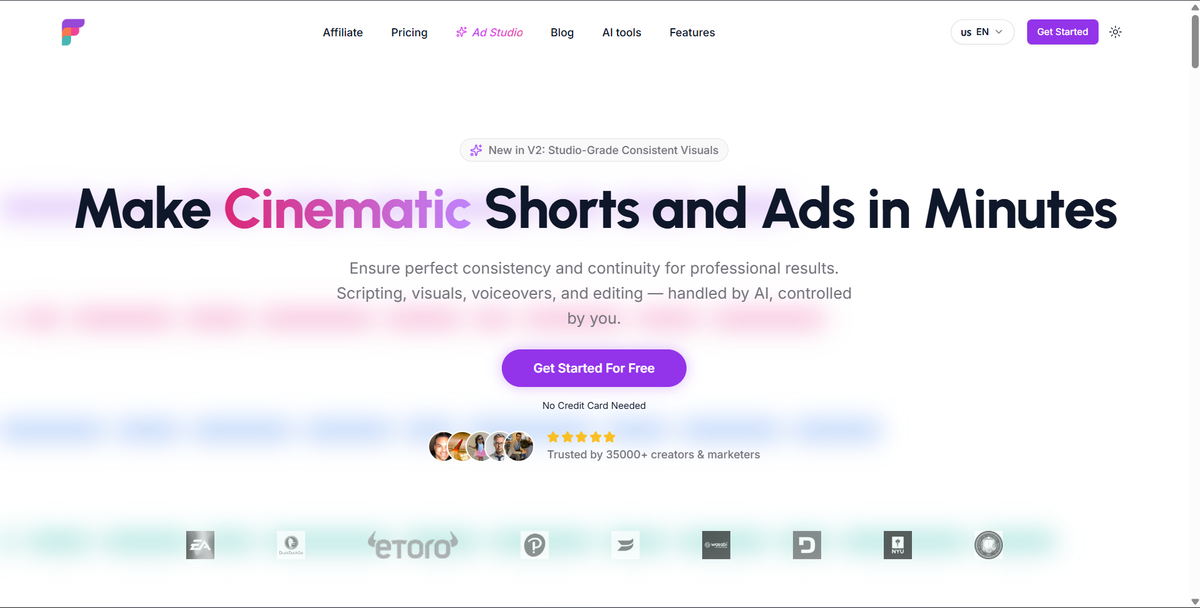
Frameloop is best for creators, marketers, and faceless channel builders who want to make cinematic shorts, ads, stories, tutorials, and video content with AI while still controlling the final output.
Most AI video tools focus on one promise: generate a video fast.
That sounds good until the output is 80 percent right and 20 percent unusable. Maybe one scene looks off. Maybe the character changes. Maybe the voiceover needs a small correction. Maybe the visual style is close, but not consistent enough for a brand or channel.
That is the gap Frameloop is built for.
Frameloop uses a scene-based editor, which means you can create AI videos and then adjust individual scenes instead of regenerating the full video. You can edit visuals, voiceovers, captions, effects, music, pacing, and style. For creators, that control matters because the last 10 percent of quality often decides whether a video feels watchable or disposable.
This makes Frameloop especially useful for:
For YouTube creators, Frameloop also fits naturally with free tools like the AI YouTube title generator, AI YouTube hashtag generator, and AI YouTube description generator. That gives creators a cleaner workflow from video creation to metadata.
Best for: AI videos, faceless videos, shorts, ads, creator videos, product explainers
Avoid if: You only need to edit recorded podcast footage or long talking-head interviews
Creator stack role: Core video creation engine
ChatGPT is best for creators who need help turning rough ideas into usable content angles, outlines, scripts, hooks, captions, and creative variations.
Most creators do not struggle because they have no ideas. They struggle because their ideas are messy.
ChatGPT is useful at the messy stage. You can use it to brainstorm video angles, rewrite hooks, structure a YouTube script, generate short-form variations, or turn one topic into multiple formats.
For example, a creator can start with:
“Give me 10 YouTube video ideas for a faceless channel about ancient history, each with a curiosity-driven hook and 30-second short-form version.”
That is a much better use case than asking ChatGPT to “write a viral video.” The more specific your direction, the stronger the output.
ChatGPT is also useful for repackaging ideas. A YouTube script can become a LinkedIn post, an X thread, a newsletter intro, and a short-form script.
Best for: ideation, hooks, scripts, captions, outlines, content repurposing
Avoid if: You expect perfect final drafts without editing
Creator stack role: Creative thinking partner
Claude is best for creators who write long scripts, newsletters, essays, thought-leadership posts, and strategy-heavy content.
Where ChatGPT is often strong for quick ideation and flexible content tasks, Claude is especially useful for long-form structure and nuanced writing. It works well when you need to refine a dense idea, improve tone, summarize research, or turn rough notes into a coherent narrative.
For YouTubers, Claude can help build more thoughtful scripts. For newsletter creators, it can help organize arguments. For founders, it can turn scattered product thoughts into founder-led content that sounds clear and credible.
The best use of Claude is not “write this for me.” The best use is:
“Here is my rough thinking. Organize this into a stronger argument without making it sound generic.”
That keeps your voice in the content while using AI to improve structure.
Best for: essays, newsletters, scripts, analysis, founder content
Avoid if: You only need fast captions or simple short-form copy
Creator stack role: Long-form writing and reasoning assistant
Notion AI is best for creators who need a central place to plan ideas, organize content calendars, store scripts, summarize research, and manage production workflows.
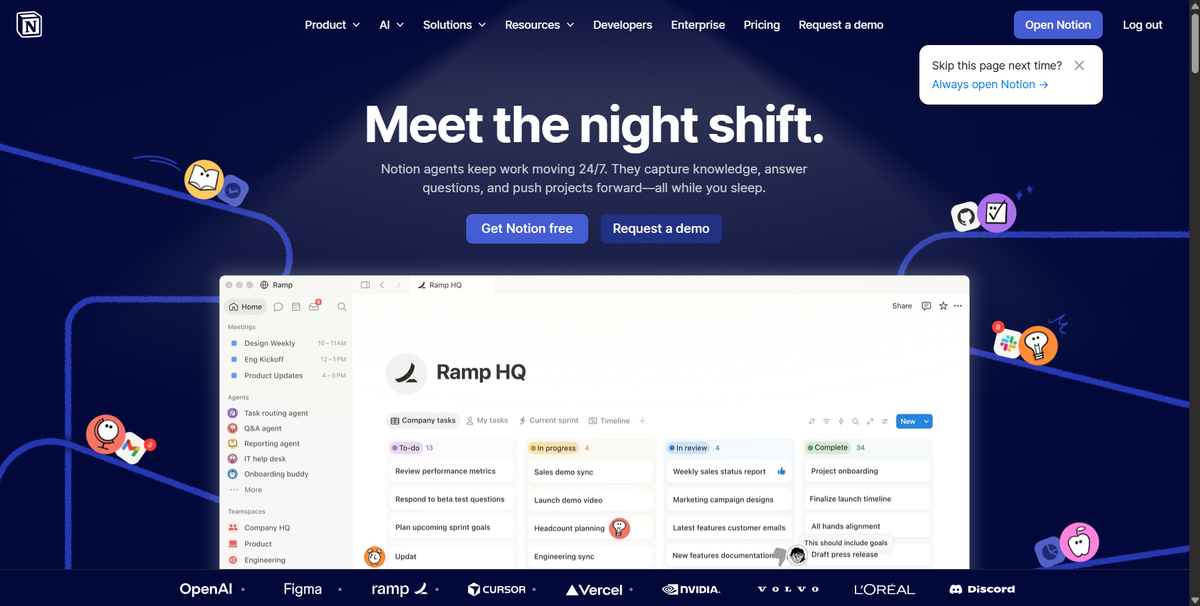
A creator without a content system eventually repeats work.
You forget which ideas performed. You lose script drafts. You publish randomly. You start from scratch every week. Notion AI helps because it combines your content workspace with AI assistance.
You can use Notion AI to:
This is not the flashiest tool in the stack. But it is one of the most important if you publish consistently.
Best for: content planning, editorial calendars, research organization, templates
Avoid if: You prefer a simple notes app and do not need workflow structure
Creator stack role: Content command center
Canva is best for creators who need fast, polished visuals without becoming professional designers.
For most creators, visuals drive the click before the content earns the watch.
That is why Canva belongs in almost every creator stack. You can use it for YouTube thumbnails, Instagram carousels, LinkedIn graphics, presentation-style posts, channel banners, media kits, and simple video assets.
Canva’s biggest strength is speed. You do not need to build every design from a blank canvas. Templates, brand kits, AI design features, and drag-and-drop editing help creators ship visuals quickly.
For YouTubers, Canva is especially useful for thumbnail testing. A strong thumbnail should communicate the idea in one glance. It should not explain the full video. It should create enough curiosity to earn the click.
Best for: thumbnails, carousels, social posts, channel graphics, templates
Avoid if: You need advanced professional design control like Photoshop-level editing
Creator stack role: Visual packaging tool
Descript is best for creators who record themselves, run podcasts, make interviews, or edit talking-head videos.
Descript’s core advantage is text-based editing. Instead of cutting video only through a traditional timeline, you can edit the transcript and remove words, pauses, or sections more easily.
That makes it strong for:
If your content starts with recorded audio or video, Descript is a strong choice. If your content starts with a script and needs AI-generated visuals, Frameloop is usually the better fit.
This distinction matters.
Descript helps you clean and edit recorded content. Frameloop helps you create AI-generated video content from an idea or script. Many creators can use both, but for different jobs.
Best for: podcasts, interviews, talking-head videos, transcript editing
Avoid if: You mainly create faceless AI videos from scripts
Creator stack role: Recorded content editor
ElevenLabs is best for creators who need realistic voiceovers, multilingual audio, dubbing, or voice cloning workflows.
Voice quality can make or break AI-generated content.
Bad AI voiceovers make viewers leave. They sound flat, robotic, and emotionally disconnected from the script. Strong voiceovers create rhythm, trust, and retention.
ElevenLabs is useful for:
Creators should still be careful with voice cloning and permissions. Use your own voice or voices you have the right to use. AI audio is powerful, but trust matters.
For faceless creators, ElevenLabs can pair well with video tools. You can generate narration, bring it into your video workflow, and focus on pacing and visuals.
Best for: voiceovers, dubbing, narration, multilingual audio
Avoid if: You already record your own voice and only need light cleanup
Creator stack role: AI voice layer
OpusClip is best for creators who already make long-form content and want to turn it into short clips for TikTok, YouTube Shorts, Instagram Reels, and LinkedIn.
Repurposing is one of the easiest ways to increase content output without creating everything from scratch.
If you record a 30-minute podcast, livestream, webinar, or YouTube video, there are probably multiple short-form clips inside it. The hard part is finding them, cutting them, adding captions, formatting them vertically, and publishing them consistently.
OpusClip helps with that workflow.
This is especially useful for:
Repurposing does not replace original short-form creation. It expands the life of content you already made.
Best for: long-form to short-form repurposing
Avoid if: You do not create long-form content yet
Creator stack role: Clip multiplier
vidIQ is best for YouTube creators who want help with keyword research, video ideas, title optimization, competitor research, and channel growth insights.
YouTube is not just a social platform. It is also a search engine.
That means creators need to understand what people are searching for, what titles earn clicks, and where their channel has a realistic chance to rank.
vidIQ helps creators with YouTube-specific research. It can support keyword discovery, search volume analysis, competition checks, title ideas, and content planning.
For newer channels, this matters because targeting giant keywords too early can waste time. A smaller creator often wins faster by finding specific topics with strong demand and lower competition.
Pair vidIQ with Frameloop’s free YouTube tools if you want a lightweight metadata workflow after producing the video.
Best for: YouTube SEO, keyword research, channel ideas, title planning
Avoid if: You do not publish on YouTube
Creator stack role: YouTube growth research tool
TubeBuddy is best for YouTube creators who want AI-assisted title ideas, tag help, bulk management, and optimization tools inside the YouTube workflow.
TubeBuddy overlaps with vidIQ in some areas, but many creators test both and keep the one that fits their workflow better.
TubeBuddy is useful when you want help improving existing videos, managing metadata, testing titles, and making repeated YouTube tasks less manual.
If you are serious about YouTube, one YouTube optimization tool should be in your stack. You do not necessarily need both vidIQ and TubeBuddy. Pick one based on the interface, data, and workflow you prefer.
Best for: YouTube optimization, tags, titles, channel management
Avoid if: You already use vidIQ and do not need another YouTube tool
Creator stack role: YouTube optimization assistant
Grammarly is best for creators who write captions, newsletters, LinkedIn posts, scripts, landing page copy, or community posts and want cleaner final drafts.
AI-generated writing often has one big problem: it sounds like AI-generated writing.
Grammarly helps polish grammar, clarity, tone, and readability. That makes it useful near the end of the writing process, not at the beginning.
Use it after you already have the idea and structure. Let it tighten the writing, catch awkward phrasing, and make your content easier to read.
This is especially useful for creators who publish in English as a second language, founders writing public content, or teams that need a consistent brand voice.
Best for: editing, captions, posts, emails, scripts, polish
Avoid if: You want deep ideation or original strategy
Creator stack role: Final writing quality check
Metricool and Buffer are best for creators who publish across multiple platforms and need scheduling, planning, reporting, and analytics in one place.
Creating content is only half the work. Publishing consistently is the other half.
A scheduler helps creators avoid the daily chaos of logging into five platforms, manually uploading posts, and guessing what worked. Tools like Metricool and Buffer make planning easier by giving creators a calendar, publishing queue, and performance view.
Metricool is useful for creators who want social analytics and cross-platform planning. Buffer is useful for creators who want simple scheduling and clean workflows.
The value is not just saving time. The value is seeing patterns.
Which posts get clicks? Which platforms perform best? Which topics are worth repeating? Which formats should be retired?
That feedback loop is how creators improve.
Best for: scheduling, analytics, social media planning, reporting
Avoid if: You only post on one platform manually and do not need analytics
Creator stack role: Distribution and learning system
The best AI stack depends on the type of content creator. A YouTuber, faceless creator, LinkedIn creator, and short-form creator should not use the same exact toolset.
The best AI tools for YouTubers are ChatGPT or Claude for scripts, Frameloop for AI-generated videos, Canva for thumbnails, vidIQ or TubeBuddy for SEO, OpusClip for repurposing, and Metricool or Buffer for scheduling.
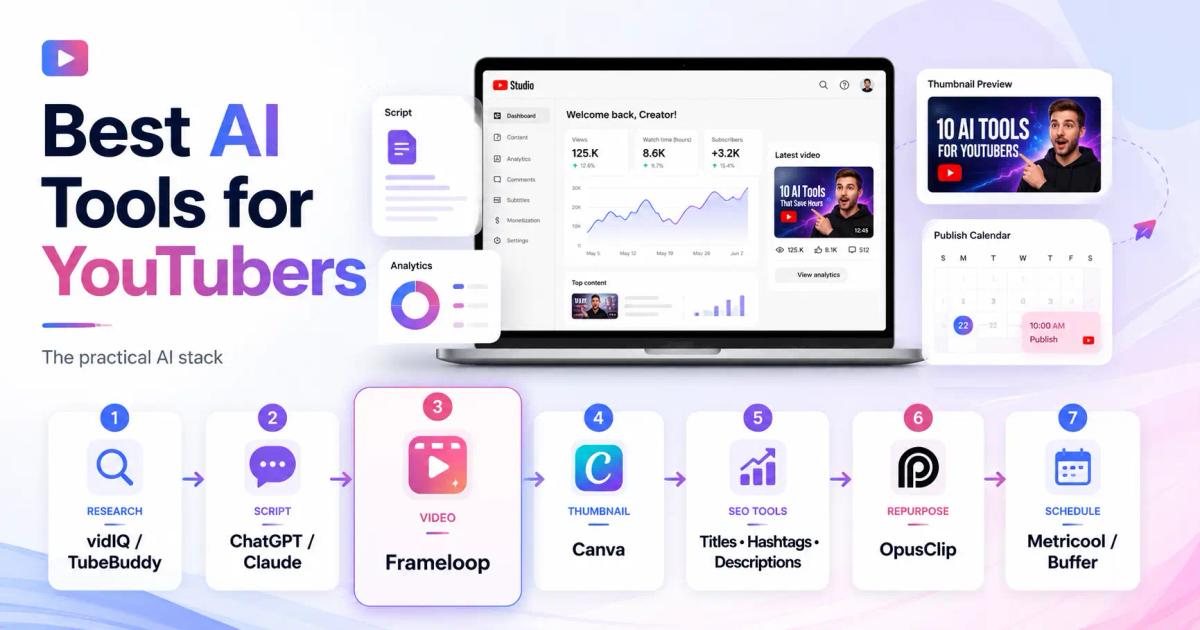
A practical YouTube stack looks like this:
Research topic demand with vidIQ or TubeBuddy
Write hooks and scripts with ChatGPT or Claude
Create or edit AI video with Frameloop
Design thumbnails with Canva
Generate titles, hashtags, and descriptions with Frameloop’s free YouTube tools
Repurpose long videos with OpusClip
Schedule and track with Metricool or Buffer
This stack works because it covers the full YouTube loop: idea, script, video, packaging, publishing, and learning.
The best AI tools for faceless creators are Frameloop for scene-based AI video creation, ChatGPT or Claude for story scripts, ElevenLabs for voiceovers, Canva for thumbnails, and YouTube SEO tools for discoverability.
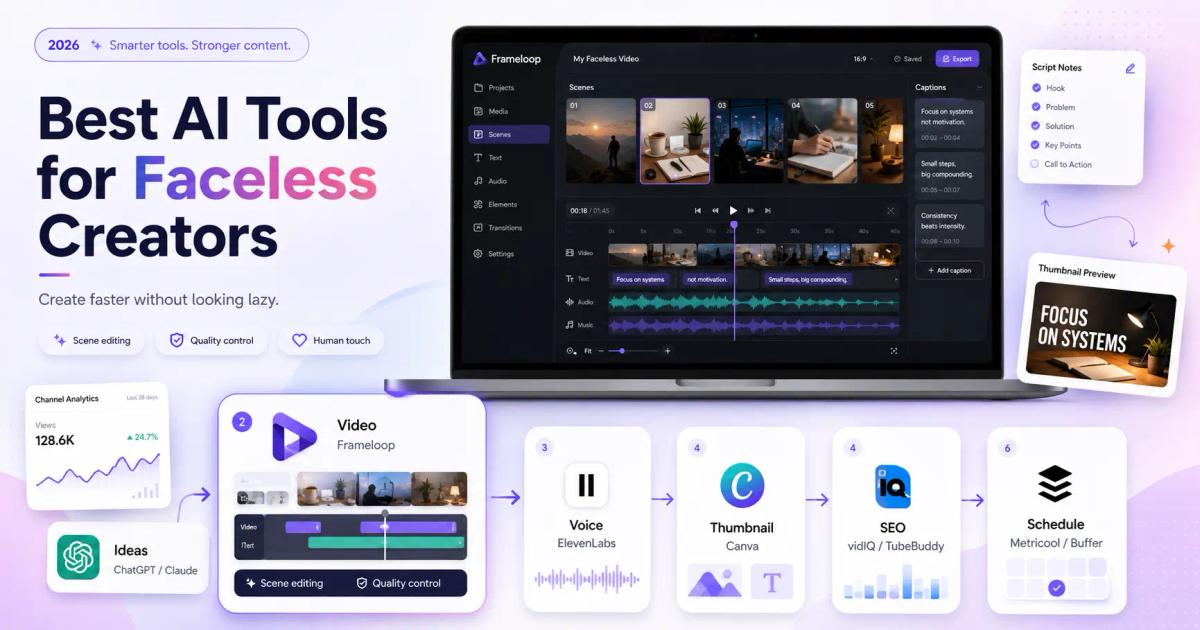
Faceless creators need more than automation. They need quality control.
The big mistake in faceless content is publishing generic AI videos that look and sound like every other channel. That might create volume, but it rarely builds a durable audience.
Frameloop helps because you can add a human touch to AI-generated videos. You can fix weak scenes, improve pacing, change visuals, and make the final output feel more intentional.
For faceless creators, the stack should be:
The goal is simple: create faster without looking lazy.
The best AI tools for short-form creators are ChatGPT for hooks, Frameloop for reels and shorts, Canva for covers, OpusClip for repurposing, and a scheduler for publishing.
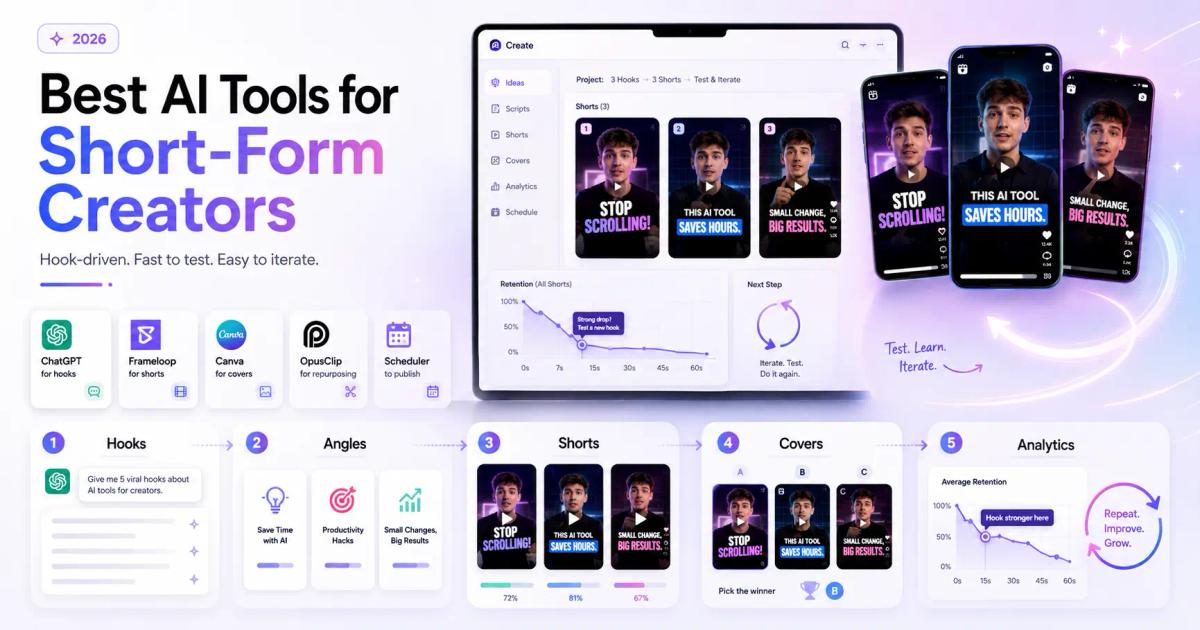
Short-form content is hook-driven.
The first three seconds matter because the viewer has almost no patience. AI can help generate variations, but the creator still needs taste. Test multiple hooks. Change the opening line. Try different visual pacing. Reuse winning formats.
A smart short-form workflow is:
Generate 10 hooks
Pick 3 angles
Create 3 short videos
Test different covers or first frames
Track retention and repeat the winner
Short-form growth is not magic. It is iteration.
The best AI tools for marketers and founders are Claude or ChatGPT for positioning and copy, Frameloop for product explainers and ads, Canva for creative assets, Grammarly for polish, and Metricool or Buffer for distribution.
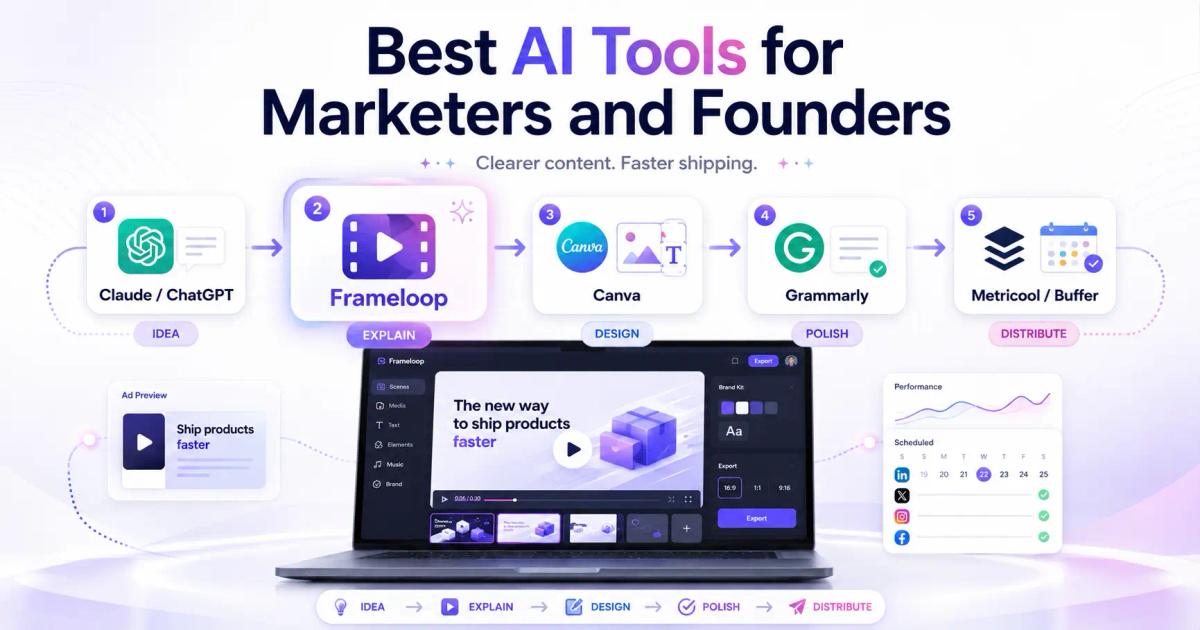
Founders and marketers should care less about producing content in bulk and more about producing content that explains the product clearly.
This is where Frameloop fits well. A SaaS marketer can turn a product idea into a short explainer, promo video, tutorial, or ad without hiring a full video team. Then they can use Canva for supporting graphics and Metricool or Buffer for distribution.
For marketers, the winning stack is not “more content.” It is clearer content that ships more often.
A strong AI creator workflow has six steps: research the topic, write the hook, create the asset, package it for the platform, publish consistently, and analyze performance.
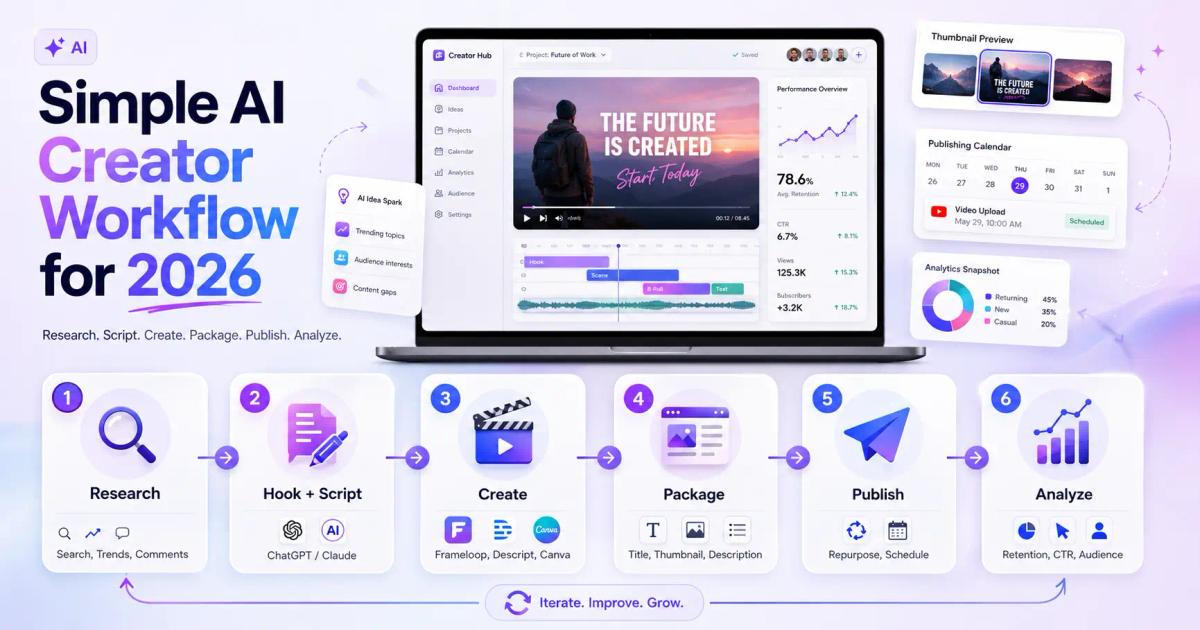
Here is the workflow:
Start with topic demand. Use YouTube search, Google, vidIQ, TubeBuddy, Reddit, comments, and competitor videos to see what people already care about.
Do not ask AI for random ideas before you understand the audience. AI should sharpen demand, not invent demand out of thin air.
Use ChatGPT or Claude to create multiple angles. Do not accept the first output.
Ask for variations:
Then choose the one that feels most clickable and believable.
Use Frameloop for AI video creation when you need scenes, visuals, captions, voiceovers, pacing, and a polished final video. Use Descript when you are editing recorded talking-head or podcast footage. Use Canva when the output is a thumbnail, carousel, or static design.
Each tool should have a specific job.
A good video can fail with a weak title or thumbnail.
Use a title generator, thumbnail tool, and description generator to improve packaging. Frameloop’s free YouTube tools can help here:
Packaging is not decoration. Packaging is distribution.
Publish the main asset first. Then repurpose it.
A YouTube video can become Shorts. A short can become a LinkedIn post. A script can become a newsletter. A tutorial can become a carousel.
OpusClip helps if you have long-form footage. ChatGPT or Claude can help rewrite the idea for other channels.
Track what worked.
Do not just ask, “Did this get views?” Ask better questions:
AI can help you create faster, but your analysis helps you get better.
The biggest mistake creators make with AI tools is using them to produce more content before they understand what quality means for their audience.
A bloated stack slows you down. Every extra tool adds another login, learning curve, export step, and subscription.
Start with five core tools:
Add tools only when a bottleneck appears.
Raw AI content is usually not ready.
The structure may be fine. The idea may be decent. But the taste is missing. Edit the hook. Tighten the script. Fix the visuals. Improve the pacing. Add examples.
Human editing is what turns AI output into creator-grade content.
A LinkedIn post, YouTube video, TikTok, and newsletter do not need the same structure.
AI can repurpose content, but you still need to adapt it. A good short-form hook may feel too aggressive in a newsletter. A strong YouTube title may not work as a LinkedIn opening line.
Platform context matters.
Speed is useful only if quality stays high enough.
If AI helps you publish 30 bad videos instead of 5 strong ones, you have not improved the business. You have just made the problem louder.
The best creators use AI to create more attempts, then use judgment to choose and refine the winners.
The best AI creator stack in 2026 is simple: use ChatGPT or Claude for thinking and writing, Frameloop for AI video creation, Canva for thumbnails and visuals, ElevenLabs for voice, OpusClip for repurposing, vidIQ or TubeBuddy for YouTube SEO, and Metricool or Buffer for publishing and analytics.
If you are building a creator stack from scratch, start here:
You do not need all of them on day one.
Start with the part of your workflow that hurts most. If scripting is slow, fix scripting. If video production is slow, add Frameloop. If thumbnails are weak, improve design. If publishing is inconsistent, add scheduling.
A creator stack should feel like a production system, not a toy collection.
AI tools for content creators are only useful when they help you ship better content with less friction.
Do not build your stack around hype. Build it around your workflow.
If you create videos, start with the video bottleneck. If you write daily, start with the writing bottleneck. If you struggle with discovery, start with titles, thumbnails, descriptions, hashtags, and SEO. If you publish inconsistently, fix your calendar and distribution.
The creators who win in 2026 will not be the ones using the most AI tools. They will be the ones using the right tools with the clearest creative judgment.
If video is part of your creator workflow, add Frameloop to your stack. You can create cinematic shorts, stories, ads, tutorials, and faceless videos with AI, then refine each scene with human control.
Add Frameloop to your creator stack.

Got great video ideas but need help bringing them to life? Frameloop AI makes it easy to create professional faceless videos with AI-generated visuals, voiceovers, and editing.
Try Frameloop AI For Free