

Avinash Vagh
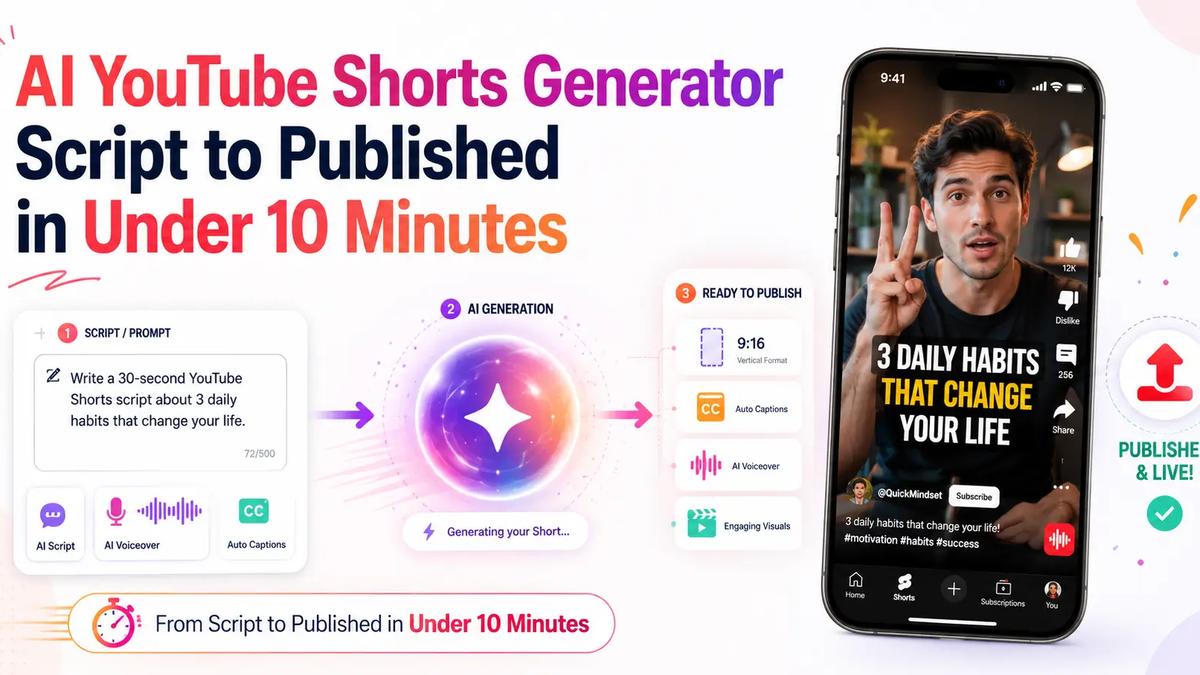
Most creators lose to the editing timeline, not the idea. You have a concept, but turning it into a finished vertical video means a script, a voiceover, footage, captions, music, the right aspect ratio, a render, and finally the upload. That is an afternoon gone for one clip.
An AI YouTube Shorts generator collapses all of that into a single workflow. You type an idea, and the tool writes the script, narrates it, pulls visuals, burns in captions, formats it 9:16, and renders a finished Short. With the right setup you can go from a blank prompt to a published Short in under ten minutes, without ever opening an editor.
This guide shows exactly how to make YouTube Shorts with AI, what a good AI shorts generator should do, whether you can do it free, and how to publish straight to YouTube without the usual export-and-upload dance.
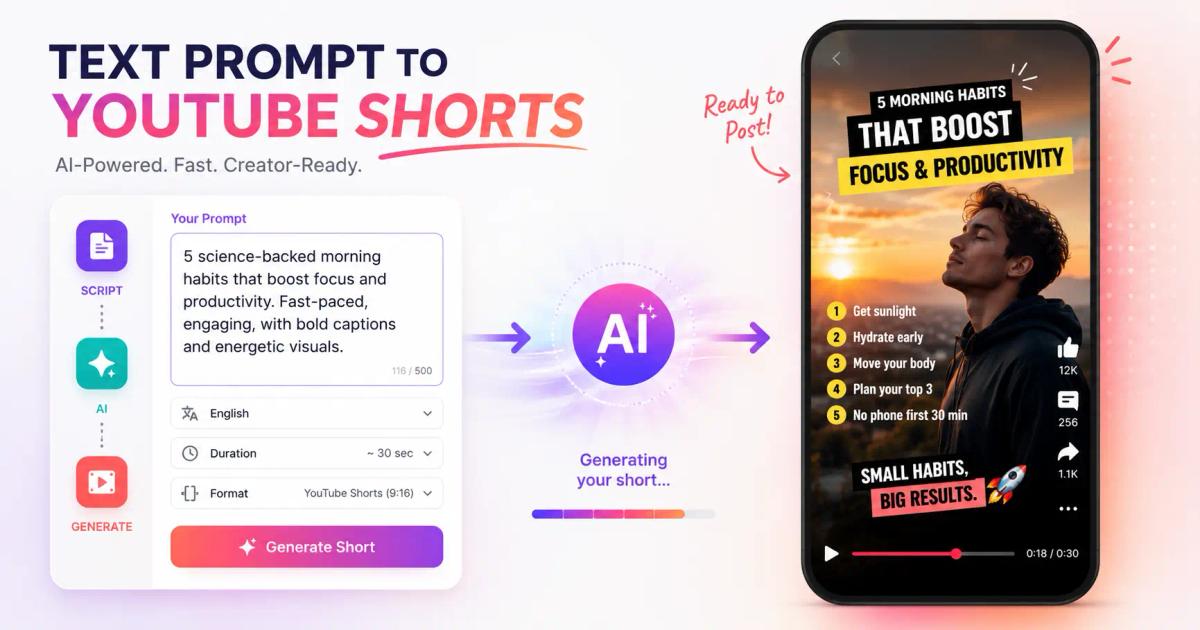
The term gets used loosely, so let's be precise. A true AI shorts generator does not just trim a long video into clips. It builds a Short from a text input, end to end.
A complete youtube shorts ai generator handles six jobs in one pass:
That full stack is what separates an AI YouTube Shorts generator from a basic clipper. If a tool only chops existing footage, it is a repurposing tool, not a generator. For that specific use case, see our roundup of AI video generators for Shorts, which compares the clip-from-long-video options.
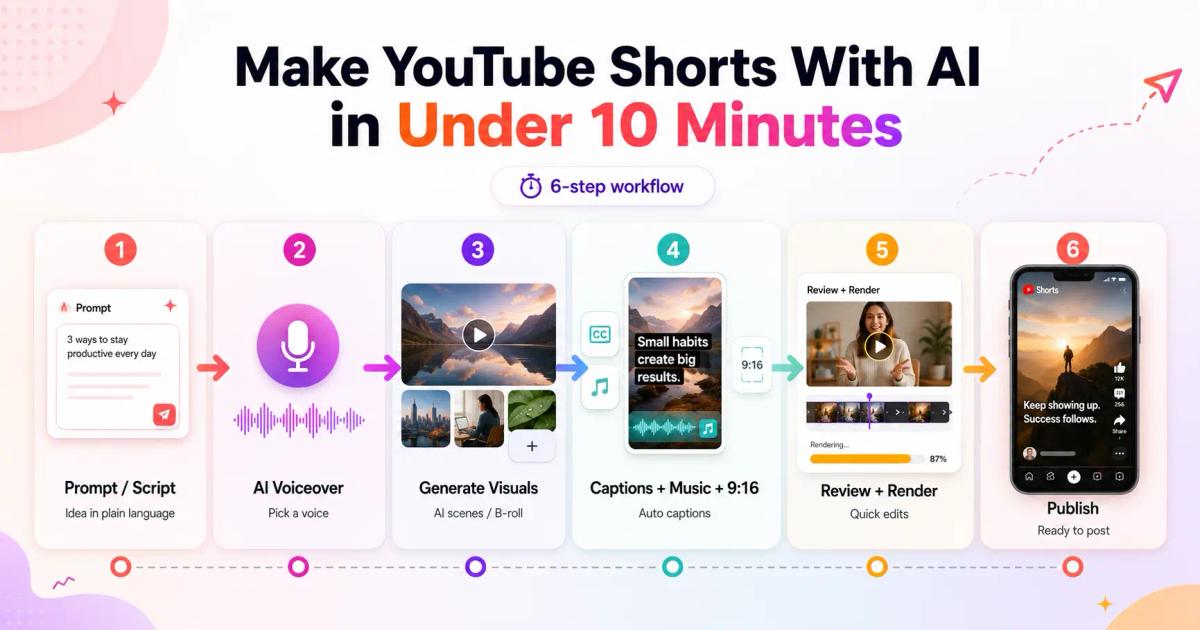
Here is the actual workflow. This is how to make AI YouTube Shorts start to finish, broken into steps you can run today.
Open the generator and type your idea in plain language. Something like "5 money habits that quietly make you broke" is enough. The AI expands it into a structured script with a hook in the first line, three to five points, and a payoff.
If you already have a script, paste it. Either way, this is where you create YouTube Shorts with AI fastest, because writing is usually the slowest manual step.
Choose a voice. Good tools offer a range of natural text-to-speech options, and some support voice cloning if you want a consistent channel voice. This answers the common question of how to add AI voice to YouTube Shorts: you do not record anything, you select a voice and the tool narrates the script automatically.
Match the voice to the niche. A calm, measured voice suits finance. A faster, energetic read suits entertainment or list content.
The generator maps each script line to a visual. Depending on the tool, that means stock footage, AI-generated scenes, motion graphics, or an AI avatar that lip-syncs the narration. For faceless channels, motion graphics and B-roll keep production fully hands-off.
This is the step that used to require a stock library subscription and manual timeline work. An AI YouTube shorts maker handles the matching for you.
Animated captions get burned in automatically, synced to the voiceover. Background music is added at a level that sits under the voice. Everything is composed in the vertical 9:16 aspect ratio that Shorts requires. No manual reframing.
Scan the draft once. Swap a clip you do not like, fix a word in the script, adjust the voice if needed. Then render. A 45-second Short renders in roughly a minute on most generators.
This is where the workflow usually breaks. Most tools stop at the export file, leaving you to download, open YouTube, and upload manually. The better path is publishing directly, which is the next section.
Run those six steps and you have a finished, vertical, captioned Short built entirely with AI. The whole loop fits inside ten minutes once you know the tool.
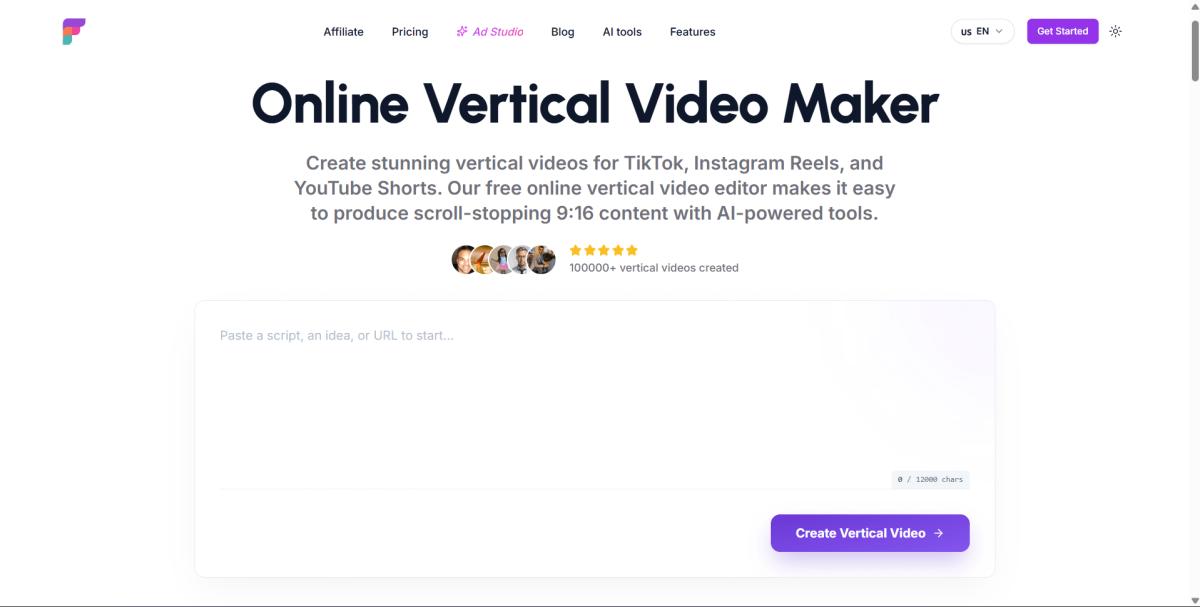
Here is the differentiator that saves the most time. Frameloop lets you publish your Short directly to YouTube from inside the generator. No download, no re-upload, no fiddling with metadata in a second tab.
You generate the Short, add your title and description, and push it live or schedule it, all in one place. For creators running a faceless channel at volume, this is the difference between publishing one Short a day and batching ten in a sitting. The export-then-upload gap is where most automated workflows quietly lose an hour.
Direct publishing also keeps your metadata clean from the start, which matters once you scale. You set the title, tags, and visibility once, inside the same tool that built the video.
Yes, with limits worth understanding. A free AI YouTube Shorts generator typically caps the number of renders per month, limits voice options, or stamps a watermark on the output. That is the trade for zero cost.
If you are testing the workflow, a free ai shorts generator is the right starting point. Generate a few Shorts, see if the quality fits your niche, and confirm the format works before you commit. The thing to watch for is the watermark. A YouTube shorts maker that is AI and free without a watermark is rare, because watermark removal is usually the first paid feature.
The honest framing: free is for validation, paid is for volume. Once you are publishing daily, the cost of a paid plan is trivial against the hours saved. You can make a Short free to test the full workflow before deciding.
The single biggest lever on a Short is the first two seconds. A generator gives you a finished video, but the hook decides whether anyone watches it. YouTube serves Shorts to a cold audience that swipes fast, so a weak opening line kills the video before the algorithm gives it a real chance.
Before you generate, sharpen the hook. Our AI YouTube Shorts hook generator writes scroll-stopping opening lines you can drop straight into the script step. Pair a strong hook with the generator workflow and you fix the two things that actually move views: the open and the output speed.
This is the question that stops a lot of creators, so here is the accurate answer. AI generated YouTube Shorts are allowed. What matters is disclosure, and the rule is narrower than people assume.
YouTube requires an altered or synthetic content disclosure only when realistic content could mislead viewers into thinking a real person, place, or event is genuine. According to YouTube's official policy, disclosure is not required for AI-assisted scripts, AI voiceover on stylized content, animated visuals, or motion graphics. Most faceless formats fall outside the disclosure requirement entirely.
When disclosure does apply, you toggle "Altered or synthetic content" to yes during upload, and YouTube adds a label. On Shorts, that label shows as an overlay on the video. As of its May 2026 update, YouTube also applies labels automatically when its systems detect significant photorealistic AI use. The label itself carries no algorithmic penalty under YouTube's stated policy.
The practical rule: if your Short uses AI to fabricate realistic footage of real people or events, disclose it. If it is stylized, animated, or clearly synthetic, you are fine.
An AI YouTube Shorts generator removes the two things that slow creators down: the manual editing timeline and the export-to-upload gap. You go from a prompt to a script, an AI voiceover, captions, a 9:16 render, and a published Short without opening an editor.
The workflow is simple. Start with a prompt, pick a voice, generate visuals, add captions and music, render, and publish straight to YouTube. With direct publishing built in, the full loop fits in under ten minutes, which is what makes daily or batched faceless publishing realistic for a solo creator.
Frameloop combines the generator, the hook tool, and direct YouTube publishing in one workflow, so the idea you have right now can be a live Short before your coffee gets cold.
Make a Short free. Try the AI YouTube Shorts generator on your next idea, or sign up to publish straight to your channel.

Got great video ideas but need help bringing them to life? Frameloop AI makes it easy to create professional faceless videos with AI-generated visuals, voiceovers, and editing.
Try Frameloop AI For Free