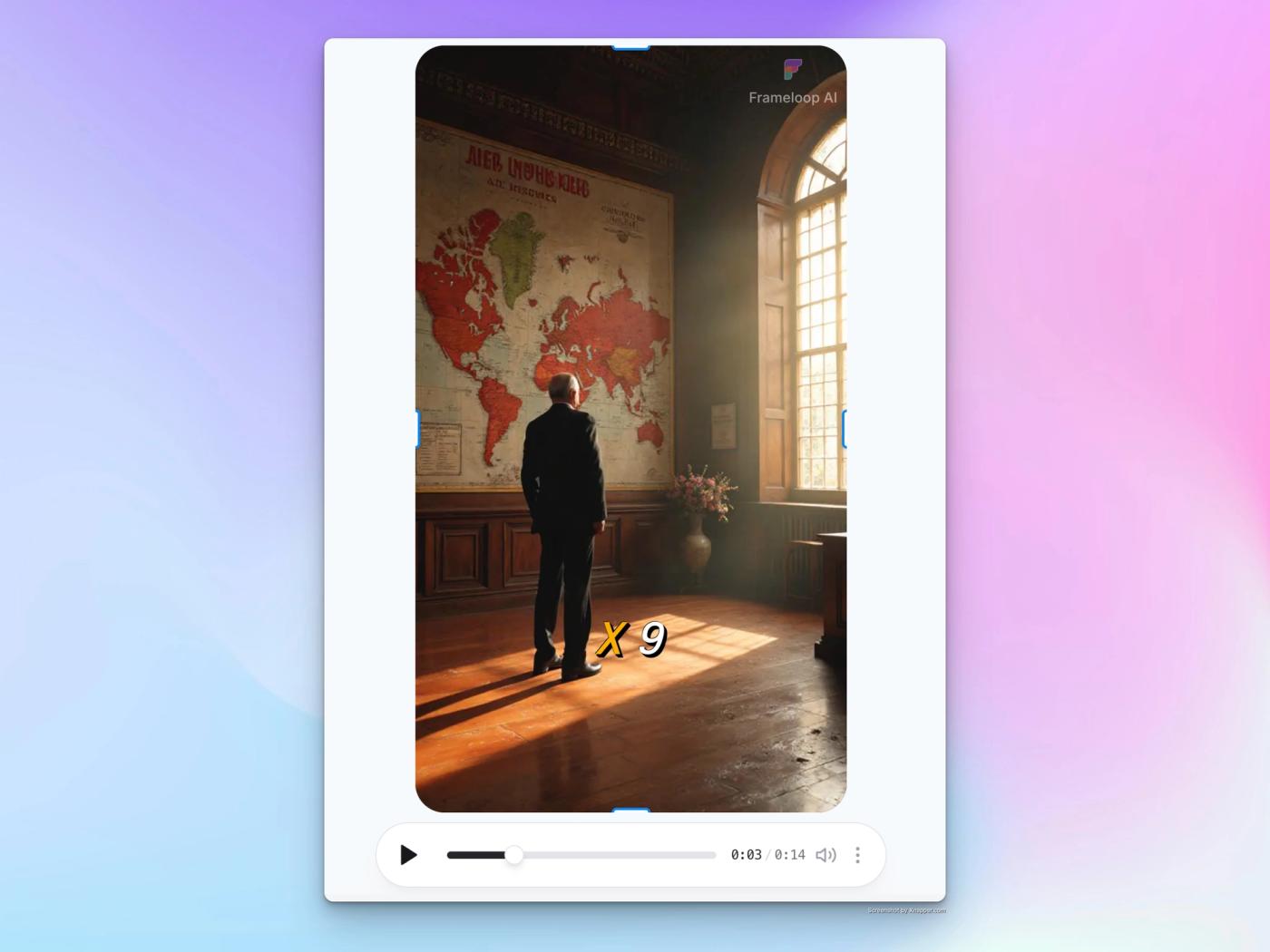
If you need to upload image for a scene, and do not want it to have pan and zoom effects, then follow these steps:
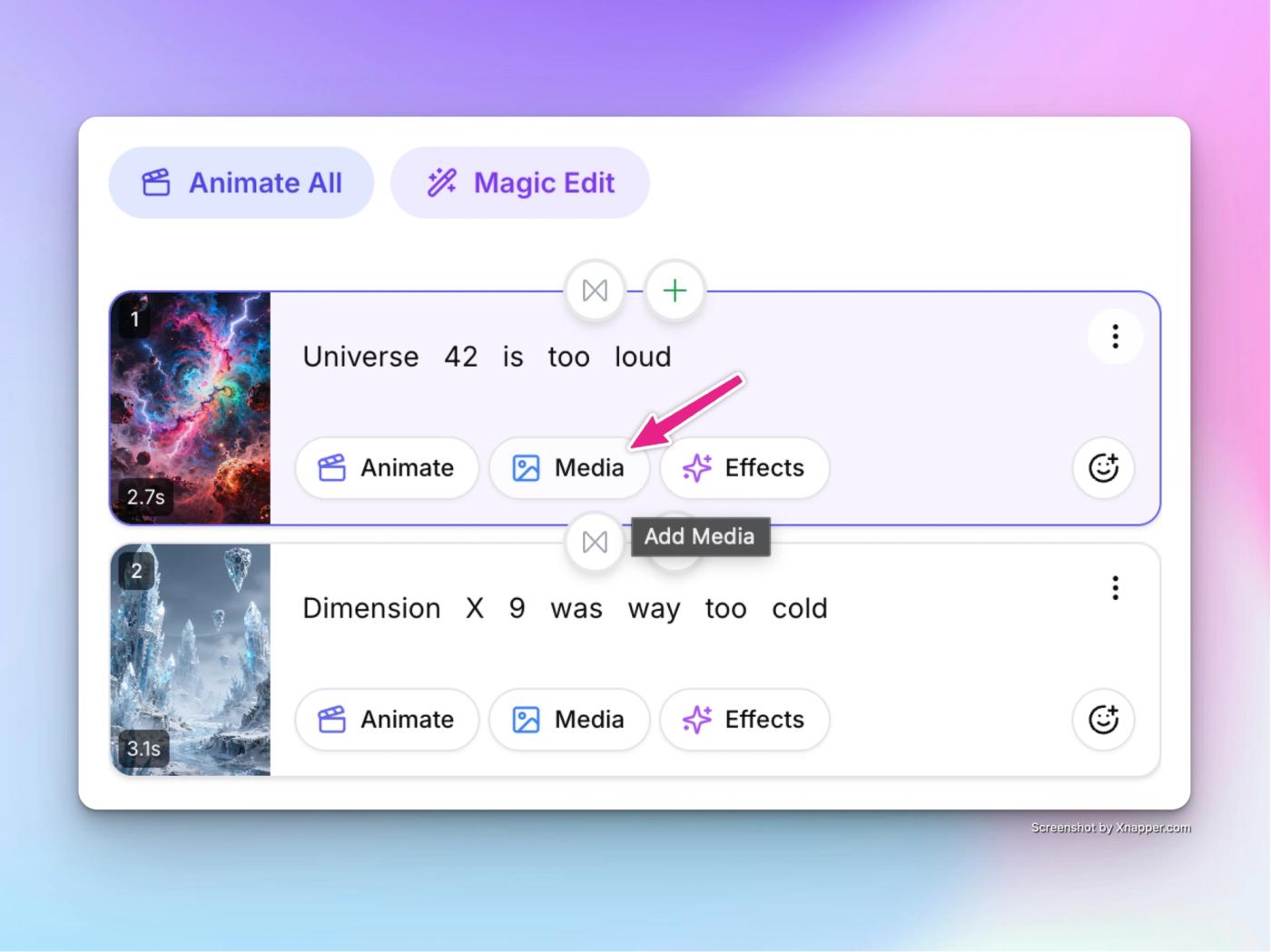
- Click on media button of the target scene, where you want to change the image without having zoom effects.
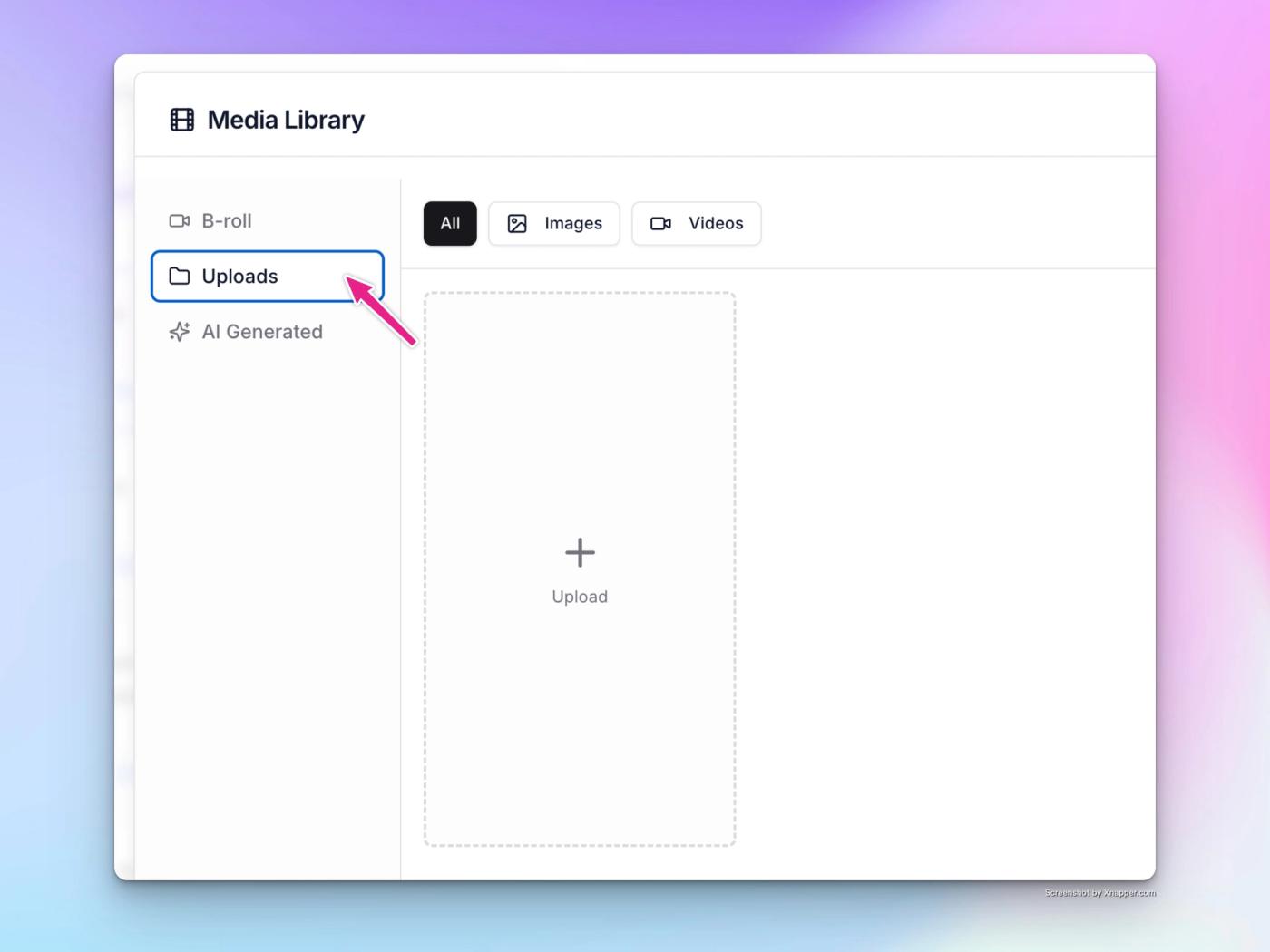
- The media selector popup with open. Then click on upload tab in the sidebar of popup, as shown.
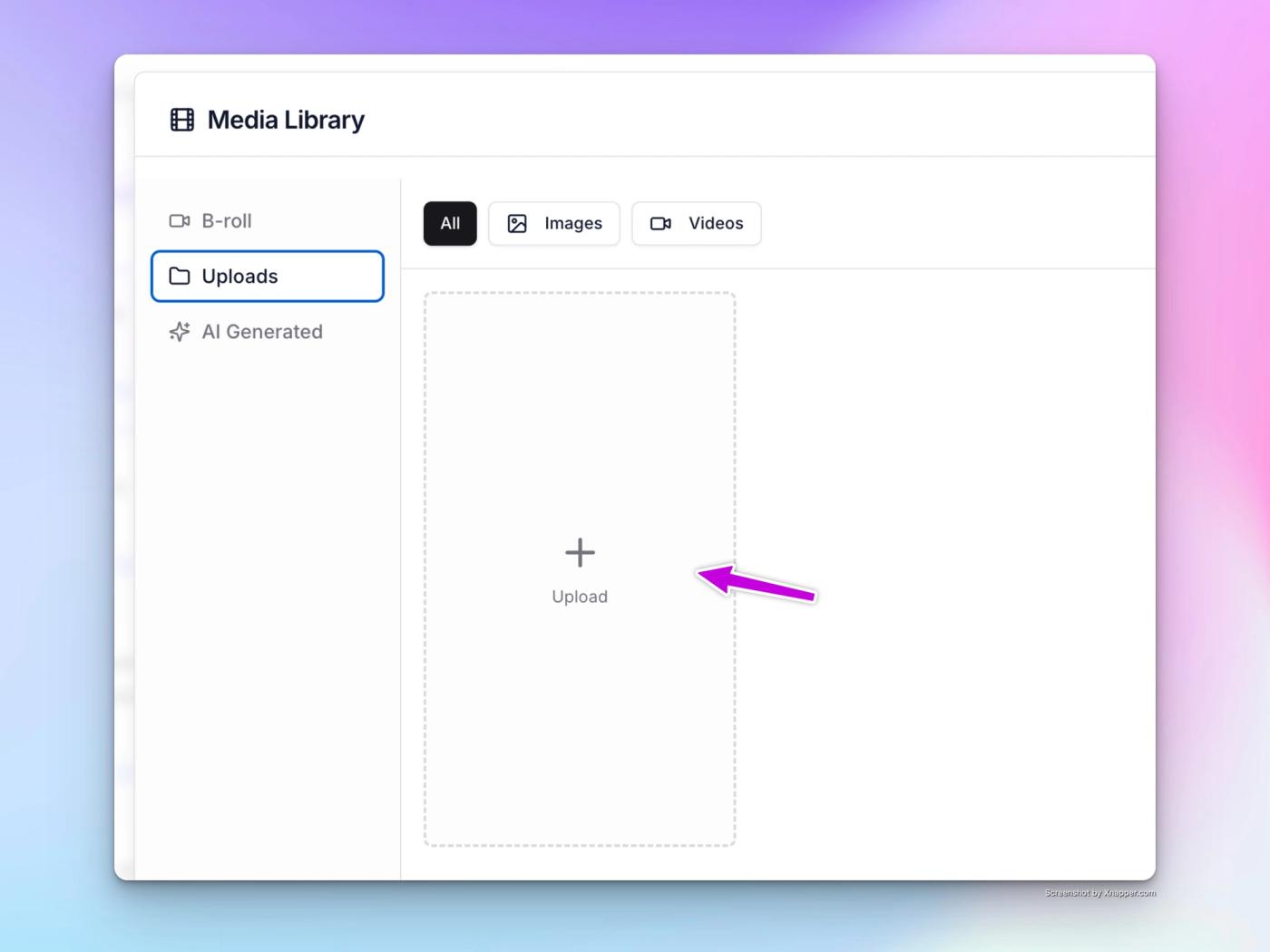
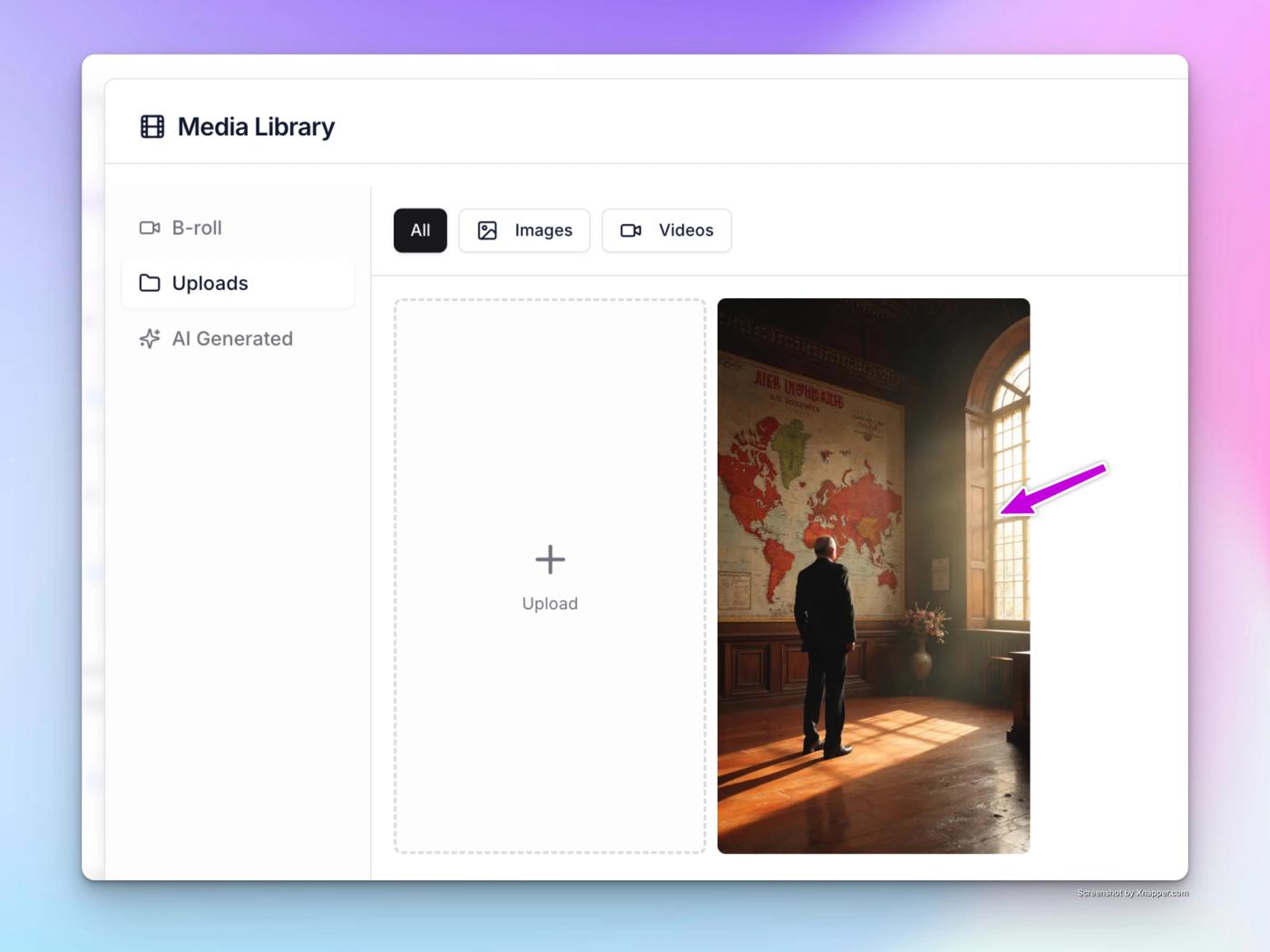
- Then click on the large upload button with plus icon, and select the image you want to upload, from your computer.
- Once the image gets uploaded, you will see it here. Just click on it to select it, and it will get added to the scene as a resizable element.
- Now, check the video player, and you’ll see the added image as a small card. Click on the image, and it’ll show the image controls. Click on the square icon to maximise the image to cover the whole scene.
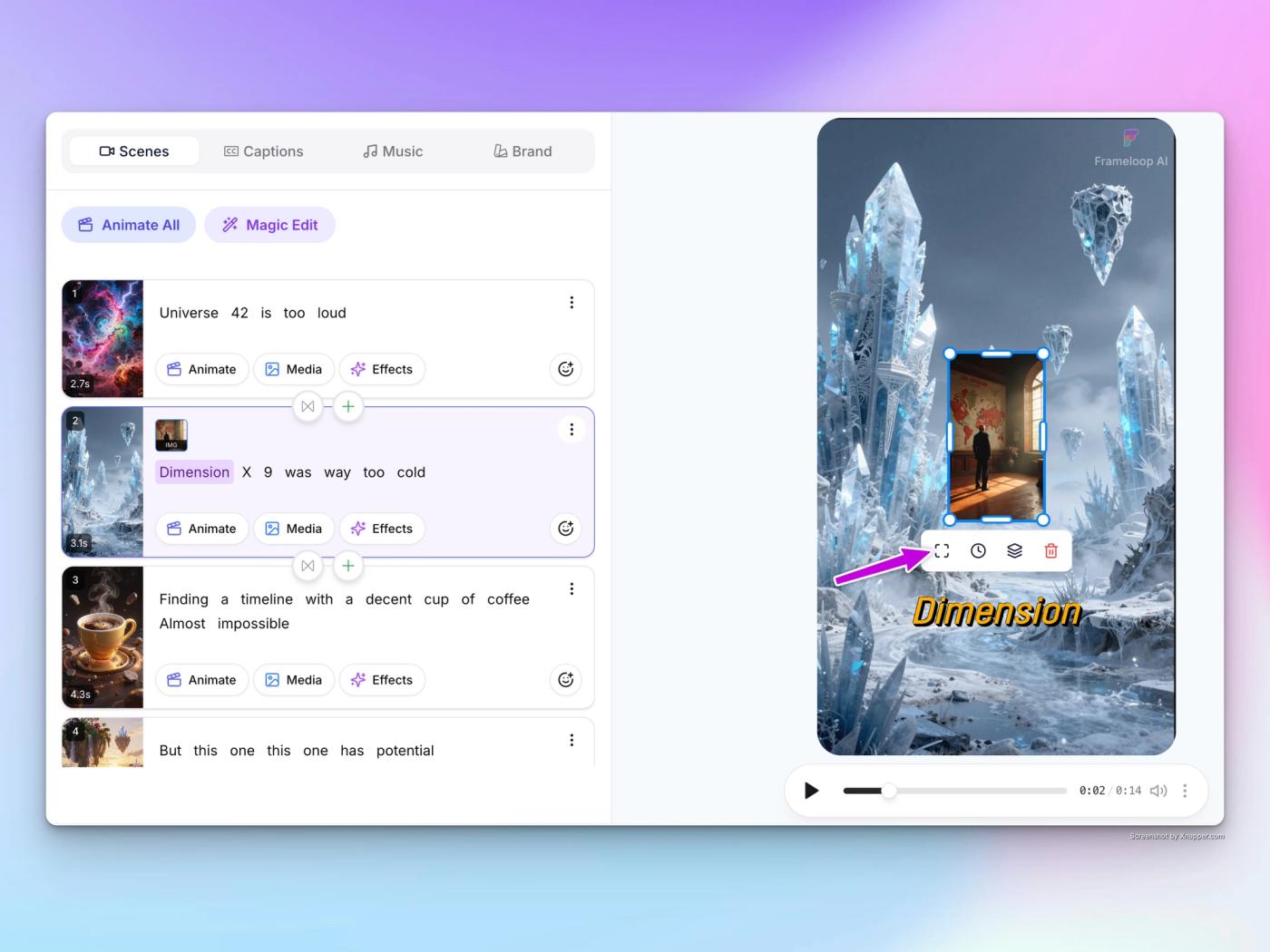
- That’s it. Your image is now applied to the scene, without any effects.