

Avinash Vagh
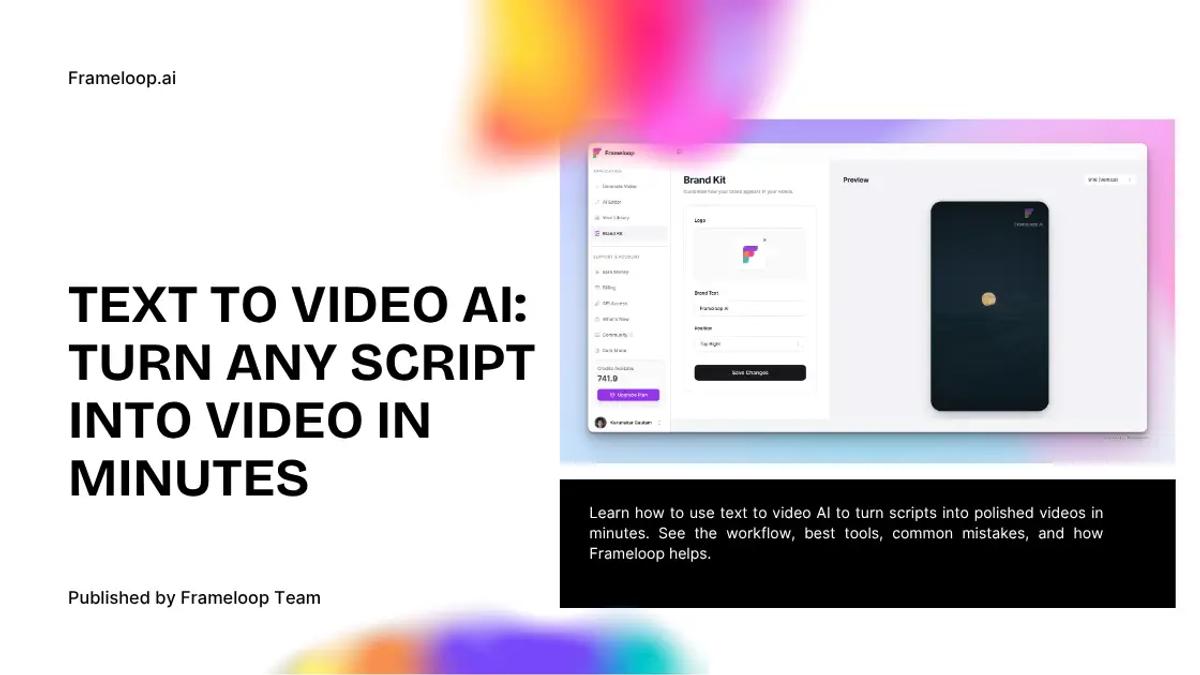
Turn any script into a polished video with text to video AI. Learn how the workflow works, what makes a good tool, and how to get better results.
Most people do not struggle with ideas.
They struggle with turning those ideas into videos fast enough to matter.
That is exactly why text to video AI is getting so much attention. It promises a simple workflow: write a script, paste it into a tool, and get a finished video without opening a traditional editor, hiring a team, or spending days stitching scenes together.
And demand is growing fast.
According to MarketsandMarkets, the global text to video AI market was valued at USD 0.1 billion in 2022 and is projected to reach USD 0.9 billion by 2027, growing at a 37.1% CAGR. That is a strong signal that text-to-video is not just a creator trend anymore. It is becoming a serious workflow category across content, marketing, and education.
That growth makes sense.
Teams need more video output than ever, but traditional production is still slow, expensive, and hard to scale. Text to video AI solves that by turning written ideas into videos much faster, whether that is a faceless YouTube script, a product explainer, a social ad, or a short educational clip.
But here is the catch.
Most tools are good at creating a first draft. Far fewer are good at helping you make a good video.
You are not just looking for a tool that can turn text into visuals. You are looking for one that can turn a script into something clear, watchable, and worth publishing.
The best text to video AI tools do not just convert words into clips. They help you shape a video people will actually watch.
Text to video AI is software that turns written input into video scenes, visuals, voiceover, timing, captions, and motion. In simple terms, you give it words, and it builds a video draft around them.
That input can be:
Some tools only generate raw visuals. Others try to create the full video.
The difference matters.
A true text to video ai generator should not just animate a prompt. It should help you go from script to actual video structure: scene order, pacing, visual flow, and enough editing control to fix what the AI gets wrong.
That is where many tools fall apart. They give you “video output,” but not a real workflow.
Text to video AI works by turning your written input into a structured sequence of scenes, then generating visuals, narration, transitions, and timing around that structure.
In practice, most tools follow the same five-step process.
The AI reads your text and tries to understand:
This is where script quality matters a lot. A vague script usually creates vague scenes.
The tool breaks your input into smaller chunks. These become individual scenes or visual beats.
This is one of the most important steps in the whole workflow, and it is where many AI tools quietly fail. If the scene logic is weak, the whole video feels repetitive or messy.
Frameloop handles this better because the workflow is built around a scene-based editor, not just one-shot generation.
The AI then creates or chooses visuals for each scene. Depending on the platform, that may include:
This is usually the most exciting part, but it is also where the first obvious problems show up. Wrong mood. Weak composition. Repetitive shots. Generic-looking content.
Once the visual draft exists, the tool adds:
This is where the video starts to feel either polished or painfully artificial.
This is the part most tools underinvest in.
Because no matter how good the AI is, one or two scenes will usually need fixing. That is why a serious text to video workflow needs editing controls, not just generation.
The first draft is not the product. The workflow after the first draft is the product.
Text to video AI is growing because people need more video output than traditional production can realistically support.
That pressure is showing up everywhere:
And the old workflow is too slow.
Writing in one app, generating images somewhere else, editing in a timeline, fixing captions manually, and rebuilding scenes every time something feels off is not sustainable if you are publishing consistently.
That is why ai text to video is becoming less of a novelty and more of a workflow decision.
The demand is not “Can AI make a video?” anymore.
It is:
Can AI help me publish faster without making the result look cheap?
A good text to video AI tool should help you go from script to polished output without turning the process into a cleanup project.
That means five things matter more than everything else.
If the tool cannot break your script into clean, purposeful scenes, the final video will feel repetitive fast.
Every scene should do one job:
Weak scene logic is why many AI videos feel flat even when the visuals look decent.
The best tools keep your video visually coherent across scenes. That matters for:
If every scene looks like it came from a different project, the video loses trust instantly.
A lot of AI-generated videos drag in the middle. Others rush every scene so fast that nothing lands.
Pacing matters more than most people realize. It controls retention.
This is where Frameloop has a real edge.
A lot of platforms generate the draft and then basically shrug. Frameloop is built to help you actually edit the result, not just admire it. The broader video creation workflow is designed around that exact need.
A text to video tool should help you make:
If it only works for one gimmicky format, it is not a real workflow tool.
This is the practical part.
If you want better output from text to video AI, the biggest improvement usually comes from how you prepare the script, not just which tool you use.
Here is the workflow that actually works.
A lot of people paste blog paragraphs into a video tool and expect it to work.
That usually creates stiff output.
A video script should feel spoken, visual, and segmented. Shorter lines. Clear beats. Fewer long paragraphs.
Bad:
Artificial intelligence is transforming the content production landscape by enabling scalable and efficient video workflows.
Better:
Making videos used to take hours.
Now you can go from script to draft in minutes.
The catch is quality.
That second version gives the AI something it can actually stage.
Every 1–3 lines should map to one scene.
That does two things:
Think like this:
That is usually enough structure for short-form or explainer content.
This is where many people stay too vague.
Do not just say:
Make a video about AI tools.
Say:
Make a cinematic explainer with clean product visuals, subtle motion, modern UI shots, and a fast-paced YouTube style.
Style direction helps the tool stay coherent.
The smartest workflow is not trying to get perfection in one pass.
It is:
That is exactly why scene-based tools work better in real life than one-shot generators.
A polished video does not mean every frame is perfect.
It means:
That is the bar.
Most bad AI videos are not caused by bad models. They are caused by bad workflow habits.
These are the biggest mistakes.
The AI can only do so much with:
make a cool video about marketing
That is not a workflow. That is a wish.
This is the biggest one.
Almost every decent AI video needs a second pass.
People obsess over visuals and forget timing. A beautiful slow video can still lose attention fast.
A lot of tools are fun for ten minutes. That is not the same thing as useful.
If the platform does not help you fix weak scenes inside the workflow, it is probably not the right tool.
If your AI video workflow creates more cleanup than clarity, it is the wrong workflow.
Frameloop works well for text to video AI because it is designed around the exact problem most people run into: the first draft is close, but not ready.
That is where most tools stop helping.
Frameloop keeps going.
You can:
That matters because polished videos are rarely born in one pass.
For creators and marketers, that makes Frameloop much more practical than tools that only optimize for generation. If your workflow includes ads, explainers, tutorials, or channel content, this is where the faceless video generator also becomes useful.
Text to video AI works best when you already know what you want to say and need a faster way to turn it into content.
The strongest use cases are:
Great for scripts, commentary, niche explainers, and educational content.
Useful for startups, SaaS, onboarding, and launch videos.
Fast enough for testing multiple hooks and angles.
Good for Reels, Shorts, TikTok, and fast publishing loops.
Strong when clarity matters more than cinematic complexity.
Text to video AI is useful now.
Not because it replaces creativity. Because it removes a lot of the slow, repetitive work between “I have an idea” and “this video is ready to post.”
That is why the best tools are not the ones that generate the most dramatic demo.
They are the ones that help you go from script to publishable output with the least friction.
And that is where Frameloop stands out.
If you want to test a real text to video AI workflow, see Frameloop’s text-to-video editor in action.

Got great video ideas but need help bringing them to life? Frameloop AI makes it easy to create professional faceless videos with AI-generated visuals, voiceovers, and editing.
Try Frameloop AI For Free