

Avinash Vagh
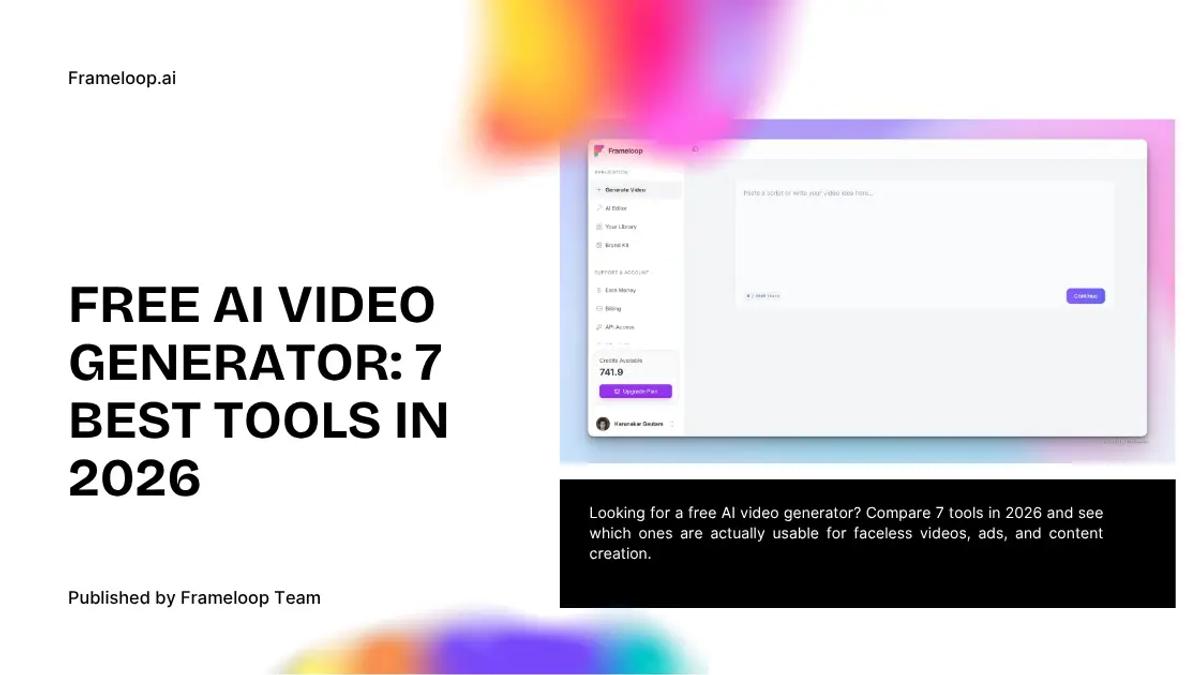
Looking for a free AI video generator? Compare 7 tools in 2026 and see which ones are actually usable for faceless videos, ads, and content creation.
Free usually comes with a catch.
That is the first thing you learn after trying a few so-called free AI video tools. One adds a watermark. One gives you a handful of credits and calls it a plan. One generates something flashy for ten seconds, then falls apart the moment you try to make a real video.
That is why people searching for a free ai video generator are usually not chasing free for the sake of it. They want a tool they can actually test. A tool that lets them make something decent before asking for money.
That is why demand for better free tools is rising so quickly.
The broader AI video generator market was valued at USD 788.5 million in 2025 and is projected to reach USD 3.44 billion by 2033, growing at a 20.3% CAGR from 2026 onward. That kind of growth tells you this is no longer a niche category for early adopters. It is becoming a serious software market, and people are actively looking for tools they can test before paying.
And that matters more in 2026 because the category is crowded. Every tool promises speed. Fewer tools help you fix the bad scene, tighten pacing, or keep the output from looking like generic AI filler.
This is where the real difference shows up.
A good free AI video generator should help you answer one simple question: can this workflow get me to something worth publishing?
The best free AI video generator is not the one with the biggest promise. It is the one that lets you test real quality without trapping you behind watermarks, vague credits, or weak editing.
Real demand is evident in usage metrics and creator behavior:
The best free ai video generator in 2026 is Frameloop for most creators and marketers who care about publishable output, scene-level control, and a free tier that actually feels usable. Other tools on this list are still worth testing, but most of them are stronger in a narrower lane.
That is the short answer.
If your goal is cinematic clips, faceless videos, explainers, product promos, or social ads, the usual problem is not generation. The problem is what happens after generation. You get a decent draft, then one weak voice line or one ugly visual makes the whole video feel cheap.
Frameloop handles that better than most because it does not stop at generation. The product is built around a scene-based AI video workflow, which gives you room to refine what the model got almost right.
| Tool | Best for | Free access | Watermark risk | Editing depth | Best pick for |
|---|---|---|---|---|---|
| Frameloop | Publishable videos, faceless content, explainers | Yes | No watermark positioning | High | Best overall |
| Kling AI | Cinematic realism | Daily credits | Varies by workflow | Low to medium | Best for realistic clips |
| Meta AI | High-volume social testing | Broad free access | Low | Low | Best for unlimited-style experiments |
| Wan 2.2 | Open-source local generation | Unlimited if self-hosted | No | Low | Best for technical users |
| Google Veo 3.1 | Narrative consistency | Limited monthly credits | Low | Medium | Best for premium-feel drafts |
| Luma Dream Machine | Motion and physics | Limited free renders | Can vary | Low | Best for dynamic movement |
| Hailuo AI | Human motion and action scenes | Daily trial credits | Varies | Low to medium | Best for fluid action clips |
| Leonardo AI | Image-to-video, visual style exploration | Free daily tokens for image generation | Low to medium | Medium for visual generation and asset editing | Best for generating stylized visuals and turning images into short motion clips |
I ranked these tools based on four things: how usable the free tier feels, how good the raw output looks, how much control you get after generation, and whether the tool can help you make something worth publishing.
That last part matters most.
A lot of free AI video tools are built like a showroom. They want you to admire the demo, not finish the work. You generate one slick-looking clip, then discover the free plan is too thin to tell you whether the platform is actually good.
That is why this roundup leans hard toward practicality. Can you test the workflow properly? Can you use the output for real content? Can you recover from a weak first draft?
Those questions matter more than hype.
Frameloop is the best free AI video generator for creators and marketers who want more than a one-click demo. It is the strongest choice if you care about control, polish, and videos that do not fall apart the moment you look closely.
Most free tools are good at one thing: giving you a draft. Frameloop is better at the next part. You can adjust scenes, visuals, voiceovers, pacing, captions, and overall flow without rebuilding the project from scratch. That is a real difference, especially if you are making content that needs to look intentional.
Frameloop also fits the kind of work people actually do. Faceless videos. Product explainers. Ads. Tutorials. Story-led short videos. The platform supports up to 10-minute videos, multiple languages, scene pacing controls, visual styles, and built-in editing tools that make the workflow feel closer to a real production process than a novelty generator
Why Frameloop stands out:
Where it is not the best fit:
If you only want quick avatar videos or fully hands-off posting, a narrower tool may fit that job better.
Best for:
Creators, marketers, and anyone who wants to try a faceless video generator without immediately feeling boxed in.
Frameloop wins because the free tier lets you evaluate the real workflow, not just admire the first draft.
Kling AI is one of the best free tools for cinematic realism and motion quality. If your priority is making short clips that look visually impressive, Kling is an easy tool to test.
This is the tool people keep reaching for when they want photorealistic movement, better lighting, and clips that feel less synthetic than the usual prompt-to-video output. It is especially good for cinematic B-roll, mood shots, and visual hooks.
The issue is control. Kling is strong at generation, but it is not where you go for deep editing or structured scene work. You usually need another tool to turn those clips into a finished video.
Pros:
Cons:
Best for:
People who want visual quality first and do not mind editing elsewhere.
Meta AI is one of the easiest answers to the “ai video generator free online” search because it gives people a low-friction way to make lots of clips quickly.
That is the main appeal here. Volume. If you want to test prompt ideas fast, create short social clips, or experiment without feeling every generation as a cost, Meta AI is worth trying.
The tradeoff is precision. This is not the tool for meticulous scene control or polished long-form storytelling. It is better when you want speed, frequency, and lots of swings.
Pros:
Cons:
Best for:
High-volume content testing and simple social videos.
Wan 2.2 is the best option on this list for technical users who want open-source control and potentially unlimited generation when running things locally.
That is a very specific audience. But for that audience, it is compelling.
If you are comfortable with self-hosting, local workflows, or piecing together your own stack, Wan gives you freedom most browser tools do not. You are not boxed into someone else’s pricing logic. You are trading convenience for control.
That trade is worth it for some people. Not for everyone.
Pros:
Cons:
Best for:
Teams or power users who want control over infrastructure and output volume.
Google Veo 3.1 is one of the better tools for narrative reliability and clips that feel a bit more premium out of the gate. If you care about stronger story logic and cleaner audiovisual coherence, it is worth a test.
This is where Veo tends to feel more serious than many lightweight free tools. The output often feels more composed. Better rhythm. Better narrative consistency. Better sense that the clip knows what it is trying to do.
The downside is access and limits. It is not the kind of tool you lean on for endless free production.
Pros:
Cons:
Best for:
People who want better first drafts and are fine with lower volume.
Luma Dream Machine is strong when the thing you care about is movement. Fast motion. Camera energy. Physics. Texture. It makes clips feel alive.
That makes it a good fit for trailers, teasers, product hooks, and high-energy social content. When a static-looking AI video feels dead, Luma can often add the dynamism people are looking for.
But it is still more of a clip engine than a full video workflow. You use it to get exciting motion, then usually move elsewhere for structure and polish.
Pros:
Cons:
Best for:
High-energy clips that need motion more than deep editing.
Hailuo AI is one of the better free tools for human motion, action scenes, and clips where the body movement matters. That makes it more useful than average for talking-head style motion, influencer-style shots, and fast-moving scenes.
It tends to sit in an interesting middle ground. Not as famous as some competitors, but often better than expected when the scene depends on fluid human action. That alone makes it worth a place here.
Its limits are familiar by now. The free tier is enough to test. It is not enough to become your entire system unless your needs are light.
Pros:
Cons:
Best for:
People who want smoother human action without paying upfront.
Leonardo AI is best for creators who want to generate strong visuals first, then turn those visuals into short video clips. It is more of a creative asset and image-to-video platform than a full publish-ready video editor.
Leonardo is useful when your video workflow starts with a look: a character, product shot, background, concept art, storyboard frame, or brand style. You can generate images, refine them, keep visual direction consistent, and then animate those stills using AI motion tools. Its official AI video generator page positions Leonardo around bringing stills to life with movement, pacing, transitions, and consistent visual direction.
The biggest advantage is visual control. Leonardo gives creators a strong environment for style exploration, concept development, image editing, and image-to-video experiments. It also offers access to video models such as Veo 3 through Leonardo plans, which makes it useful for creators who want premium-looking motion without jumping between too many tools.
Where it is weaker is full video production. Leonardo can help create clips and animated assets, but it is not the best choice if you want a structured scene-based workflow, captions, voiceover editing, pacing control, and a finished short-form video in one place.
Pros:
Cons:
Best for:
Creators, designers, and marketers who want to generate polished visual assets, animate images, and test short creative clips before building a final video elsewhere.
You should choose the free AI video generator that matches the kind of work you need to publish, not the tool with the loudest promise.
Here is the practical version.
Choose Frameloop if you want:
Choose Kling AI if you want:
Choose Meta AI if you want:
Choose Wan 2.2 if you want:
Choose Google Veo 3.1 if you want:
Choose Luma Dream Machine if you want:
Choose Hailuo AI if you want:
Yes, but that is exactly where most tools start getting slippery. A lot of “free” tools still make the output feel unusable for real publishing because the free plan is designed more as a teaser than a workflow.
That is one reason Frameloop matters in this category. Frameloop’s positioning around a no-watermark free experience and editable workflow gives it a real angle that many competitors do not match cleanly.
That matters more than people think.
A watermark is not just branding. It blocks serious testing. You cannot properly evaluate how the content feels in a real publishing workflow if the free output already looks compromised.
A free plan without a watermark is not a nice extra. It is the difference between testing the product and just previewing it.
Frameloop is the smartest free starting point because it solves the problem most free AI video tools ignore: the gap between generation and publishable output.
That gap is where time gets wasted.
You generate something decent. Then you notice one awkward image. Then a weak voice line. Then bad pacing in the middle. Then you realize the tool is not really helping anymore. It gave you a draft, not a workflow.
Frameloop is different because the product is built around that exact moment. The features page shows the broader workflow, but the practical value is simple: you can keep what works, fix what does not, and avoid throwing away an almost-good video.
That is especially useful for faceless creators and marketers. Those users do not just need “video output.” They need something they can ship.
If you are comparing tools seriously, start with the free tier, test a real script, and then check the pricing only after you know the workflow suits you.
Most free AI video tools are generous right up until you try to do something serious.
Then the limits show up.
That is why Frameloop is the best answer. It gives you a real workflow, real editing control, and a free experience that tells you something meaningful about the product.
The other tools on this list are still useful. Kling is great for cinematic clips. Meta AI is good for volume. Wan is strong for technical users. Veo feels premium. Luma is strong on movement. Hailuo handles action well.
But Frameloop is the one that gives you the best chance of making something you would actually publish.
Try free at Frameloop — no credit card → signup

Got great video ideas but need help bringing them to life? Frameloop AI makes it easy to create professional faceless videos with AI-generated visuals, voiceovers, and editing.
Try Frameloop AI For Free