

Avinash Vagh
Everyone has a story worth telling. The problem has never been the idea. It has always been the production.
Turning a story concept into a watchable, shareable video used to require scriptwriters, voiceover talent, stock footage licensing, and a video editor who knew what they were doing. Most people gave up before they even started.
An ai story generator removes every one of those barriers. With the right tool, you type a prompt, choose a style, and get a fully produced story video in minutes. No studio. No team. No prior experience required.
This guide breaks down exactly how ai story generators work, what separates the best from the average, where to find a free ai story generator that delivers actual video output rather than just text, and why most tools on the market are leaving creators stuck at the worst possible step in the process.
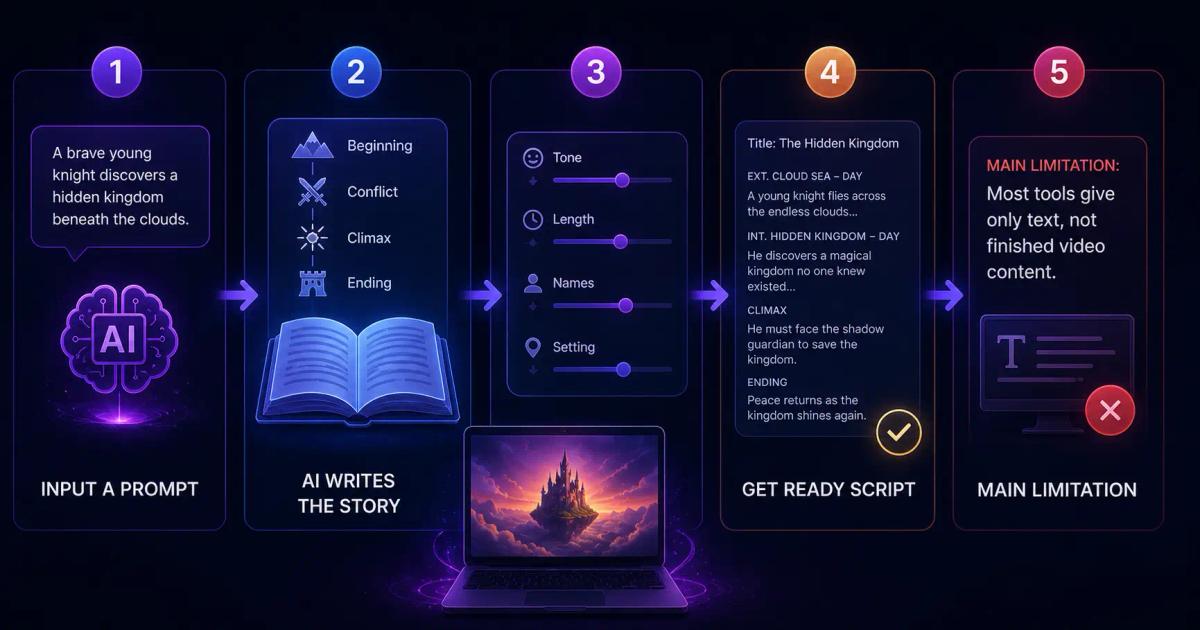
A story generator is a tool that uses artificial intelligence to produce a structured narrative from a prompt. You provide some basic input, such as a character, a setting, a genre, or a theme, and the AI builds a complete story arc around it.
Most ai story generators rely on large language models to handle the writing. These models have been trained on enormous amounts of fiction, scripts, blog posts, and other narrative content. That training allows them to understand story structure, pacing, tension, and resolution.
Here is what a typical workflow looks like inside a text based ai story generator.
You enter a prompt such as "a young entrepreneur who fails three times before building a successful company." The AI generates a narrative with a beginning, a conflict, a turning point, and a resolution. Some tools let you adjust the tone, whether inspirational, dramatic, or comedic, along with the length and specific details like character names or settings.
The result is a structured story that you can read, use as a script, or theoretically build into content.
The challenge is that most tools stop right there. They give you text. What content creators actually need is video. That gap between a generated story and a finished, publishable video is where most creators lose hours every single week.
This is not a minor inconvenience. For anyone running a YouTube channel, Instagram page, or TikTok account on story content, the gap between text and video determines whether you can sustain a publishing schedule at all.
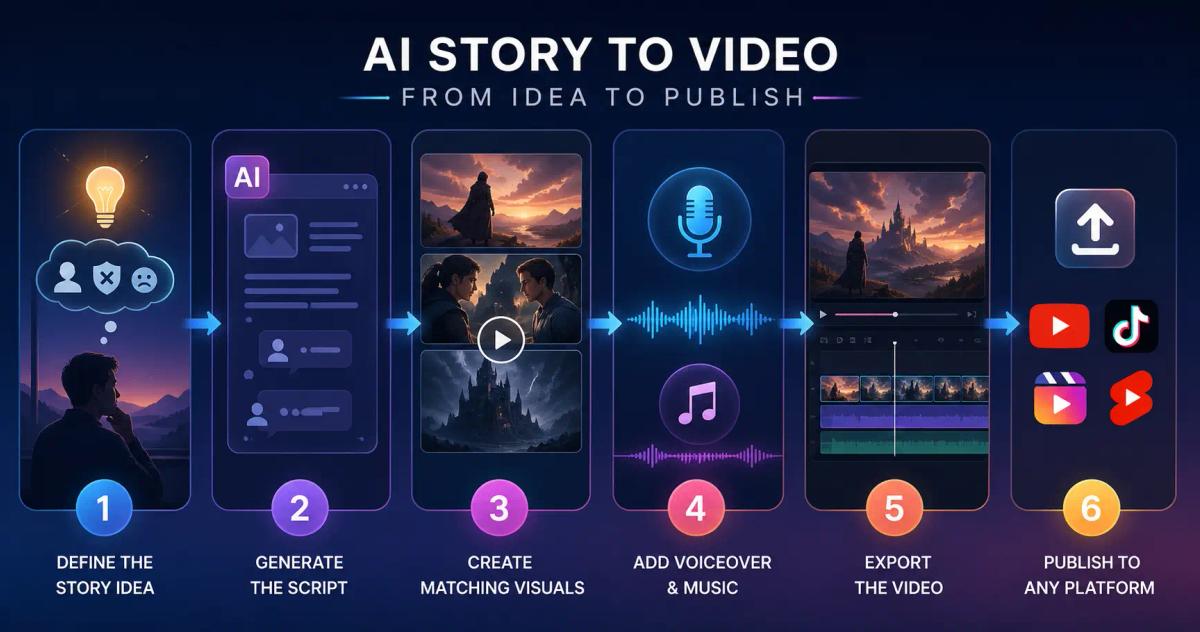
This is where ai story generator tools vary enormously. Here is a complete workflow, from concept to published video.
Start with the core idea. Who is the main character? What is the central conflict? What feeling do you want the audience to walk away with? The more specific your input, the better the output. Instead of "inspire me," try "a first generation immigrant who builds a bakery business from nothing and nearly loses everything during the first year."
Paste your prompt into your ai story generator. A strong tool returns a structured narrative with clearly defined scenes rather than a block of undifferentiated text. Each scene should describe what happens, who is involved, and the emotional tone of that moment.
This is the step that separates a text story from a video story. Each scene in your narrative needs a corresponding visual. For most tools, this means leaving the story generator entirely, opening a separate video editor, sourcing stock footage or images, and manually assembling everything from scratch.
For creators who publish regularly, this step kills momentum every time.
Your story needs a voice. Most text based tools require you to either record your own audio or use a separate text to speech platform, download the audio file, and sync it manually to your visuals in a video editor.
Once the video is assembled, you export and upload to YouTube, Instagram Reels, TikTok, or wherever your audience lives.
Done manually, this full process takes three to five hours per video. For daily publishing, that math does not work. The right ai story generator collapses this entire workflow into one place.
This is worth addressing directly because it affects every creator who has tried these tools and walked away frustrated.
The vast majority of ai story generators are built on top of language models. Their core capability is text generation. Adding video output requires integrating a completely different technology stack: AI image or video synthesis, text to speech, scene sequencing, audio visual synchronization, and export rendering.
Most tools are built by teams that specialize in one of these areas, not all of them. So they deliver excellent text output but leave the entire video production process to you.
The result is a fragmented workflow where creators bounce between four or five tools to produce a single video. One tool for the script. A separate tool for voiceover. A separate tool for visuals. A separate video editor to assemble it all. Then manual export and upload.
Every handoff between tools is a point where creators lose time, lose quality, and lose motivation to keep publishing.
This is the gap Frameloop was built to close.
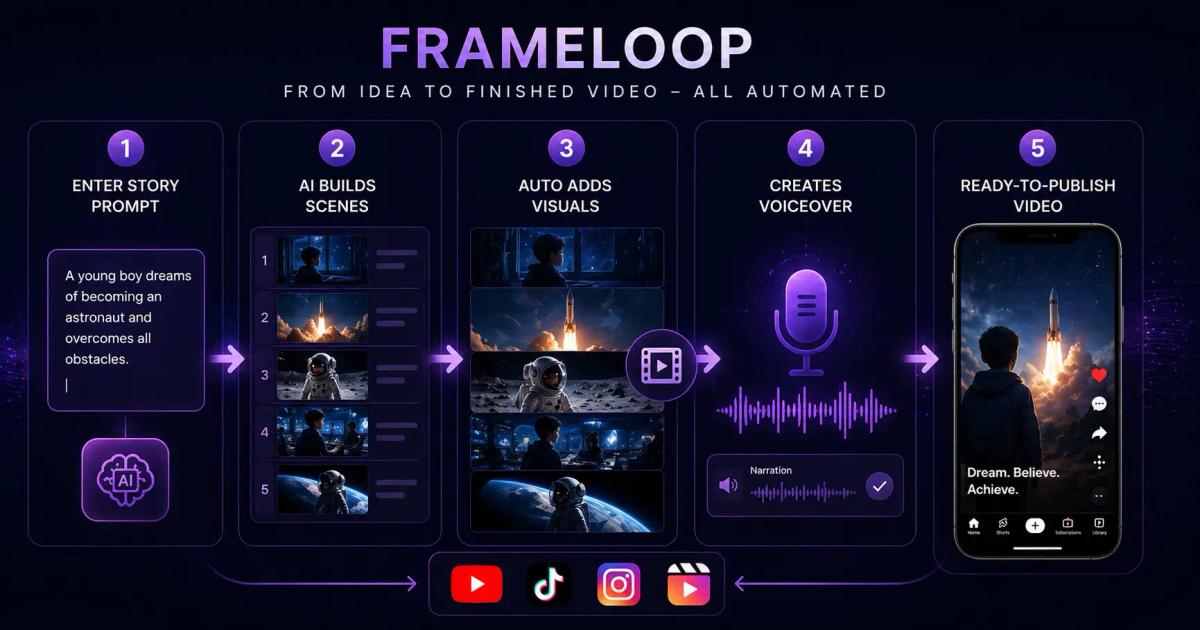
Frameloop does not just generate a story. It converts your story prompt directly into a fully produced video, scene by scene, inside a single workflow.
Here is what that looks like in practice. You enter your story concept. Frameloop generates a multi scene narrative structure. Each scene is automatically matched with relevant visuals from a licensed stock library. A voiceover is generated from the story text using natural sounding AI voices. The scenes are sequenced, the audio is synchronized, and the result is a ready to publish video.
You do not switch between tools. You do not manually source footage. You do not record or upload audio separately.
For creators publishing AI story content on YouTube Shorts, Instagram Reels, or TikTok, this is not a small difference. It is the difference between publishing one video a week and publishing one every single day.
To see how the full workflow connects to a viral content strategy, check out this guide on how to create viral AI generated story shorts.
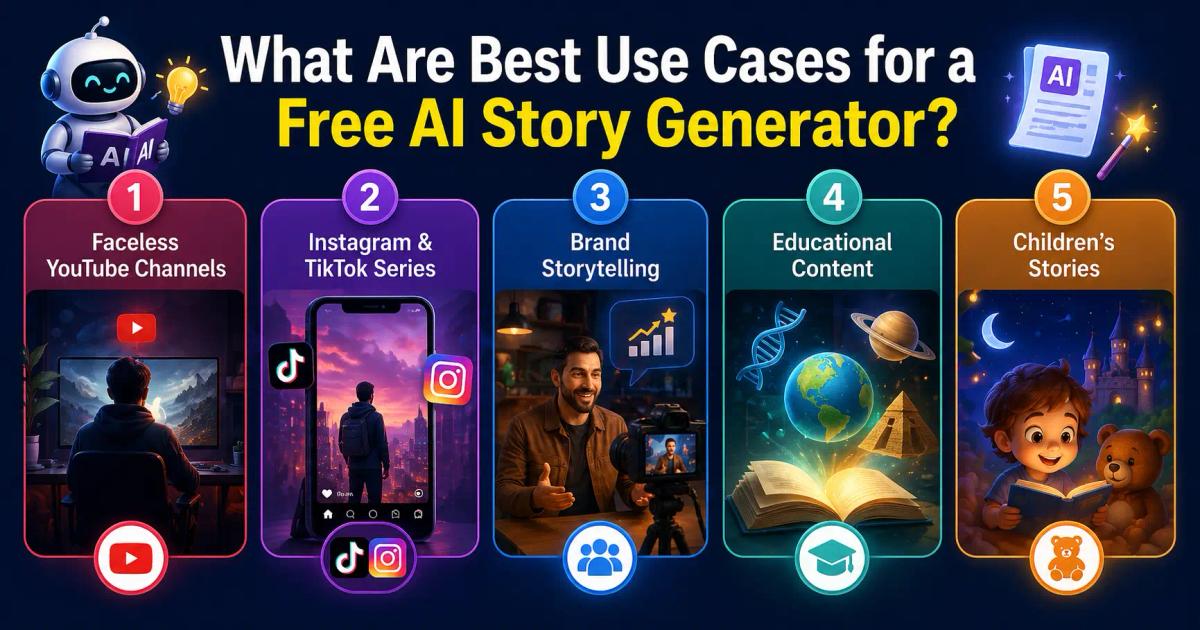
The range of use cases for a free ai story generator is wider than most people expect. Here are the formats where creators are seeing consistent results.
Story based content is one of the fastest growing formats on YouTube. Channels in motivational, historical, paranormal, and business biography categories regularly pull millions of views with zero on camera presence. An ai story generator free tier that outputs video directly becomes the entire content engine for these channels, eliminating the need for a production team.
Short form platforms reward serialized content. A recurring character or ongoing narrative gives followers a reason to come back day after day. AI story generation makes it practical to maintain a consistent posting schedule without burning out on production.
Businesses use the story format to explain how their product was built, highlight customer transformations, or communicate their founding vision. Story driven content consistently outperforms straightforward product demos in both engagement and sharing.
History, science, philosophy, and personal development topics all benefit from narrative framing. Teachers, course creators, and YouTube educators use story generators to turn complex material into engaging explanations that viewers actually finish watching.
Bedtime stories, educational fables, and illustrated story videos for young audiences are areas where AI story generation combined with video output creates significant value for parents and educators. The ability to customize characters, settings, and lessons makes each story feel personal.
Explore the full range of what Frameloop can create at frameloop.ai/features.
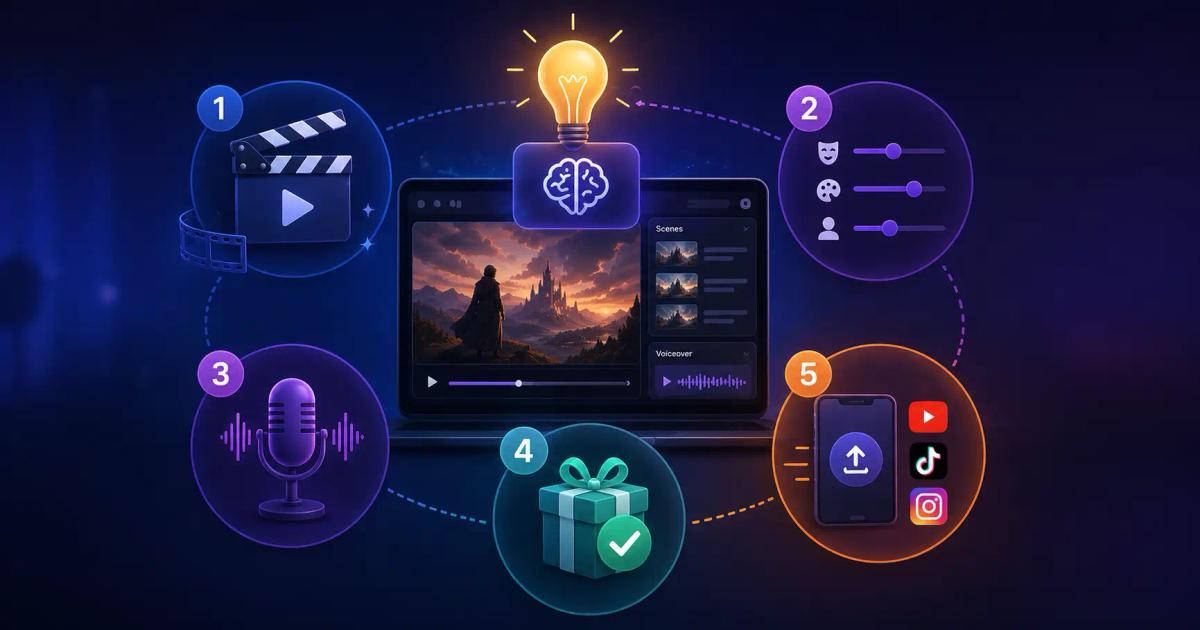
Not every ai story generator is built for the same use case. Here is how to evaluate your options before committing time to any platform.
The single most important question is whether the tool outputs text or video. If you are a content creator, text only output means you still have hours of production work ahead of you after generation. Look specifically for tools that integrate story generation with video assembly inside one workflow.
A good story generator should let you control genre, tone, character details, pacing, and scene count. Generic outputs with no customization options will feel repetitive quickly, especially when you are publishing at volume and need variety.
Voiceover is one of the most influential elements of a story video. Robotic or unnatural sounding voices reduce watch time significantly and hurt channel performance. Always evaluate the voice options before committing to any platform.
Most platforms offer a free tier or free trial. A genuine ai story generator free option should let you complete at least one or two full videos before asking for a credit card. That gives you enough real experience to evaluate whether the platform fits your actual workflow rather than just a demo.
Does the tool export directly to your publishing platform of choice? Direct export to YouTube or Instagram saves meaningful time when you are publishing daily or building a backlog of content.
The best story ideas never reach an audience because the production process is too slow. By the time a creator finishes editing, the momentum behind the original idea is gone and the news cycle or trending topic has moved on.
Most ai story generators are solving only the writing step. Generating the text is the easy half of the problem. Building the video is where everything breaks down, and that is where creators spend most of their time.
Frameloop solves the full problem. From a single prompt, you get a complete story video with scenes, visuals, voiceover, and sequencing that is ready to publish. No stitching together five tools. No waiting three hours to see your idea on screen.
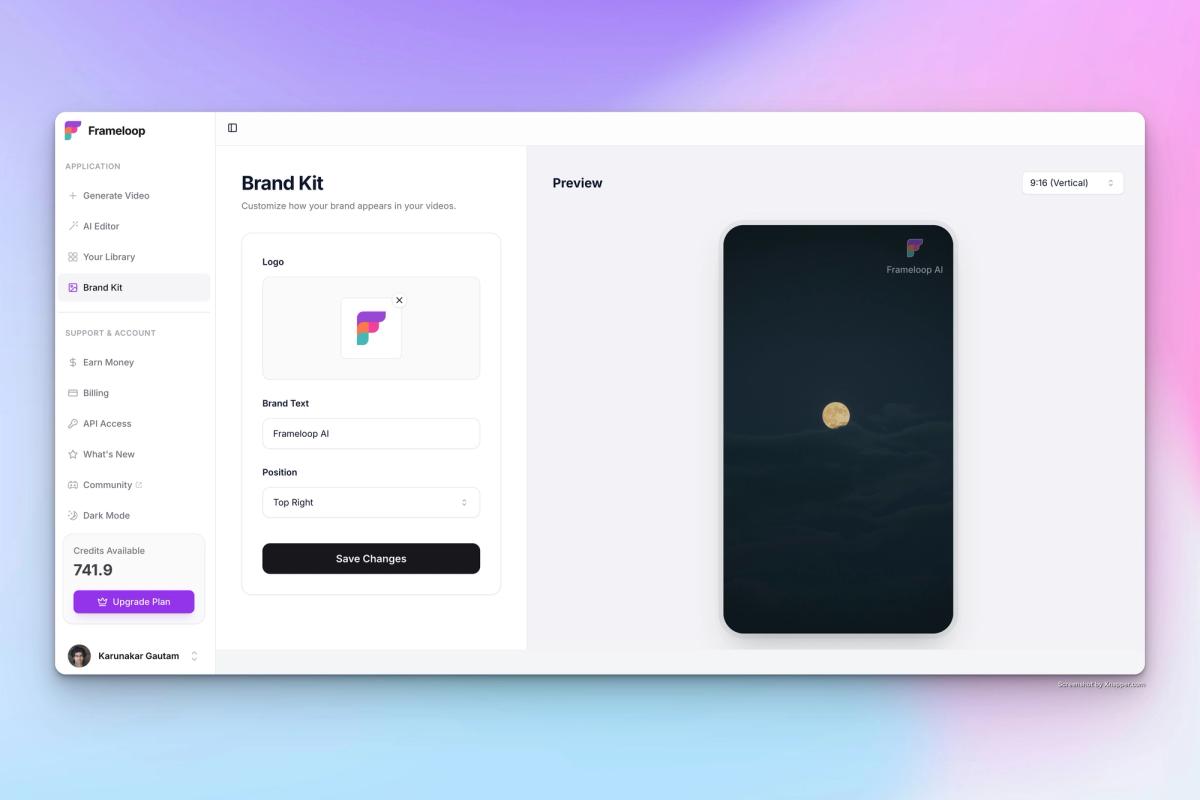
If you have a story worth telling, the only question left is how fast you can get it in front of the people who need to hear it.
Generate your first AI story free on Frameloop, Try it today.

Got great video ideas but need help bringing them to life? Frameloop AI makes it easy to create professional faceless videos with AI-generated visuals, voiceovers, and editing.
Try Frameloop AI For Free