

Avinash Vagh
Most AI videos still look like AI videos.
That is the problem with a lot of ai video generator tools in 2026. They promise speed, but the output often feels generic, awkward, or impossible to publish without extra work.
And demand is not slowing down.
Global AI video generator market was valued at USD 788.5 million in 2025 and is projected to reach USD 3,441.6 million by 2033, growing at a 20.3% CAGR from 2026 to 2033. That is a strong signal that AI video is no longer just an experimental creator niche. It is becoming a real software category with serious commercial demand.
The AI video category has exploded over the last 12 to 18 months as creators, marketers, and SaaS teams race to produce more short-form videos, explainers, ads, tutorials, and faceless content without hiring a full production team.
That is the problem with a lot of ai video generator tools in 2026. They promise speed, but the output often feels generic, awkward, or impossible to publish without extra work.
You want to turn an idea, script or faceless content plan into a polished video fast. But you also do not want to hand your quality to a black box.
An AI video generator is software that turns text, prompts, scripts, images, or existing assets into an edited video with visuals, voiceover, timing, captions, and motion. The best tools do not just make clips. They help you shape a finished video.
Many tools can generate a flashy demo. Far fewer can help you make a short, ad, explainer, story, or faceless video that feels intentional.
Frameloop takes the second approach. Instead of pushing full automation at any cost, Frameloop's AI video creation workflow is built around generation plus control.
An AI video generator is only valuable when the final video is publishable.
AI video creation is growing because video demand keeps rising while time, headcount, and budget stay tight. AI helps one person produce what used to require a writer, editor, designer, and voiceover setup.
Faceless YouTube creators need consistent uploads. SaaS marketers need explainers, social clips, and product videos. AI filmmakers need proof-of-concept reels that look coherent enough to win projects.
The old workflow breaks. Writing in one app, generating visuals in another, fixing voiceovers elsewhere, then editing on a timeline is slow and brittle. One weak scene can ruin the whole piece.
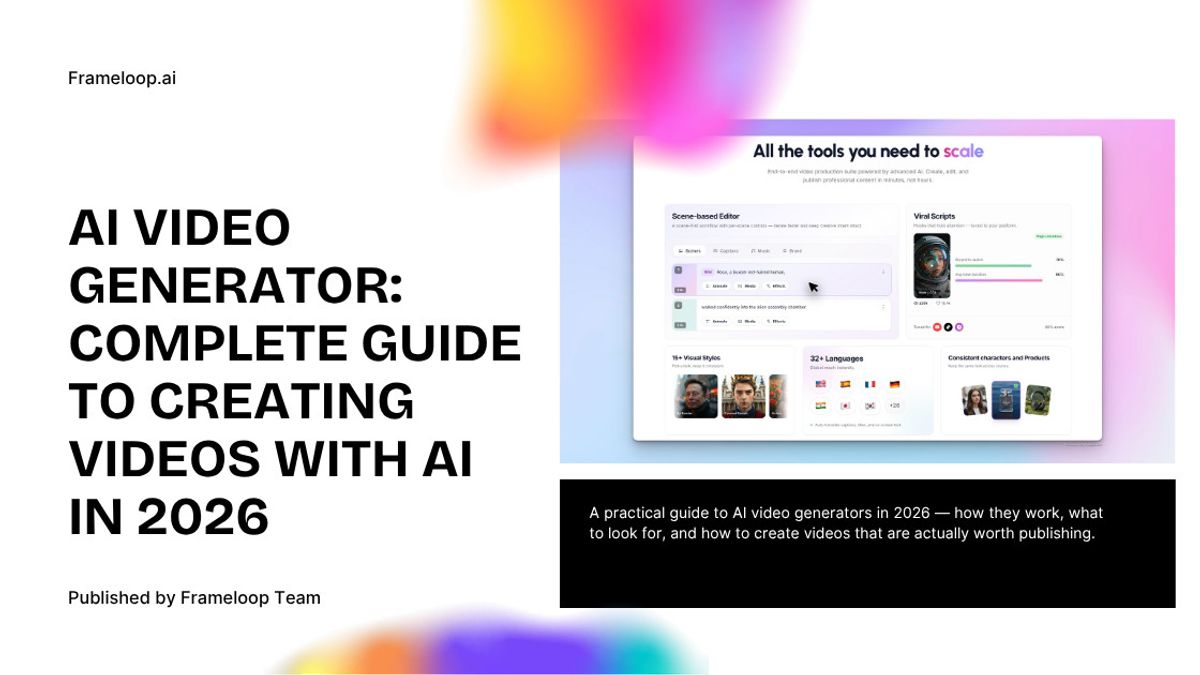
Frameloop is designed around that reality. It combines a scene-based editor, built-in image editing, long-form support up to 10 minutes, context-aware animation, and consistent characters so you can fix the exact part that is off instead of restarting everything.
The best AI video tools do not remove human judgment. They remove repetitive work so human judgment has more impact.
An AI video generator works by combining script generation, scene planning, asset creation, voice synthesis, timing, and editing logic.
Here is the practical version of the workflow.
You start with an idea, rough script, or prompt. Some tools also help write the script. Frameloop includes a smart script generator, which helps users move from idea to draft without jumping between apps.
The script then gets split into scenes. This is where many tools quietly fail. Weak scene structure leads to repetitive visuals, bad pacing, and a video that feels stitched together.
Frameloop treats scene breakdown as a core step because scene structure controls rhythm, story clarity, and visual variety.
The platform generates visuals, animation, voiceover, captions, and effects. This is the exciting part, but it is also where quality problems show up. One off-brand frame or one bad voice line can make the entire video feel cheap.
Frameloop solves this with scene-level editing and an in-built image editor, so users can swap faces, place products, adjust branding, and fix problem scenes without rebuilding the project.
The last layer is pacing, music, transitions, effects, and emotional flow. That is the difference between a raw AI output and a video people actually watch.
The best ai video generator should give you speed, control, consistency, and a realistic path to publishable quality. If a tool only gives you one or two of those, the cracks appear fast.
Here is what matters most.
A homepage demo proves a tool can impress you once. It does not prove the workflow can survive real projects.
Ask a better question: when the video is 80 percent good, can you fix the last 20 percent quickly? If the answer is no, the tool becomes expensive frustration.
That is why Frameloop's scene-based editor matters. You can edit voiceover, visuals, timing, and scene order directly instead of throwing away the whole project.
Consistency is the hidden problem in AI video. Characters drift, product shots change, style shifts, and motion feels disconnected.
Frameloop helps with context-aware scene animation, consistent characters, and style control directly inside the workflow. That makes it useful for creators who care about monetizable faceless content and for AI filmmakers who need proof-of-work that looks coherent.
Many tools are built for novelty clips. Creators and marketers need ads, explainers, tutorials, reels, and long-form content.
Frameloop supports videos up to 10 minutes, which is a meaningful advantage for educational content, product explainers, and longer faceless videos.
No AI tool gets everything right in one pass. The practical question is how quickly you can refine.
With Frameloop, users can edit images inside the product, upload their own assets, adjust pacing, animate scenes in bulk, and steer visual style directly from the script. That is faster than stitching together five separate tools.
An AI video generator is best for people who need more video output without building a full production stack. It is especially useful when quality affects revenue, trust, or growth.
Frameloop fits especially well for three groups.
Faceless creators want low-cost content production with enough quality to monetize. They do not want lifeless slideshows. They want control over the final result without spending hours in a traditional editor.
That is why Frameloop's faceless video generator fits well. It gives creators a canva-like way to refine scenes, pacing, visuals, and voice so the output feels less generic.
Marketers need explainers, product videos, ads, and educational content that still look on-brand. A tool that saves time but creates off-brand videos is not really saving time.
Frameloop helps marketers move from script to polished output while keeping control over style, product placement, and edits.
AI filmmakers care about emotional flow, consistent visuals, and scene coherence across a sequence. For them, scene control and context-aware animation are not extras. They are the whole game.
You get better results from an AI video generator by treating it like a collaborator, not a vending machine. Better structure in, better refinement decisions out.
Here are four rules that improve output immediately.
A structured script almost always beats a fuzzy one-line idea. Even a rough script gives the system clearer direction.
Every scene should do one job: explain, show, transition, or persuade. Clear scene roles improve pacing and make later edits easier.
If you want cinematic, animated, branded, minimal, or high-energy output, say that upfront. Frameloop lets users add style and context directly in the script flow, which helps the whole video stay coherent.
The smartest workflow is not chasing perfection first. It is generating fast, then refining weak scenes. That is why a text to video AI workflow needs editing controls built in.
If you have read this far, you already know the real issue is not whether AI can generate video. It can. The real issue is whether the workflow helps you publish something you are proud to put your name on.
That is where Frameloop stands out. Frameloop is built for people who want AI speed without giving up control. You can generate quickly, fix what matters, keep what works, and move from idea to polished output in one place.
Pricing starts at $19 per month, with higher tiers at $39 and $79. That makes testing easy.
In 2026, AI video is standard.
But the people who win will not be the ones who generate the most. They will be the ones who generate fast, refine intelligently, and publish videos that still feel human. Start with Frameloop, test one real script, and see how much better AI video gets when you can actually control the result.

Got great video ideas but need help bringing them to life? Frameloop AI makes it easy to create professional faceless videos with AI-generated visuals, voiceovers, and editing.
Try Frameloop AI For Free